SSD Price in BD 2026
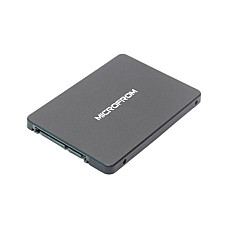
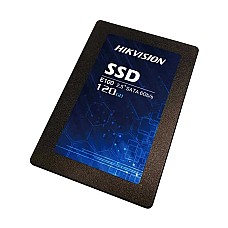
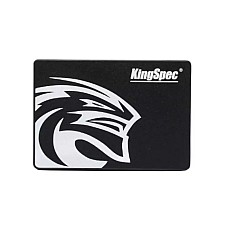
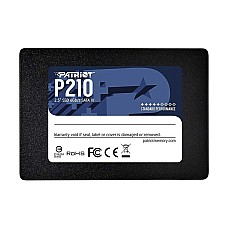
SSD price in BD at Computer Village is starting from ৳2,900 for a 128GB SATA drive, rising with capacity (256GB, 512GB, 1TB) and speed (SATA, NVMe Gen3, NVMe Gen4). We stock 2.5-inch SATA, M.2 SATA and M.2 NVMe SSDs for laptops and desktops from Netac, ADATA, Colorful, Team, KingSpec, Lexar, Transcend and more. Prices change often, so check the live price before you order.
Quick picks
128GB, 256GB, 512GB and 1TB SSD Price in BD
SSD price in BD goes up mainly with capacity: 128GB is cheapest, 256GB and 512GB are the most popular, and 1TB costs the most. Choose capacity by how you use the PC.
128GB SSD Price in BD
A 128GB SSD is enough only for Windows and a few apps. It suits an old office PC, a CCTV or POS computer, or a desktop where files stay on a hard disk.
256GB SSD Price in BD
256GB is the minimum we suggest for a student or office laptop with Windows 11. It holds Windows, Office, a browser and some files. Most buyers choose between a 256GB SATA and a 256GB NVMe drive depending on their slot.
512GB SSD Price in BD
512GB is the sweet spot for most people in 2026. Windows updates, Zoom recordings, photos and design software fit without constant cleaning. Freelancers and university students should start here.
1TB SSD Price in BD
1TB is the right size for gamers, video editors and YouTubers. A single modern game can take 100GB or more, and 4K footage fills smaller drives quickly.
SATA SSD vs NVMe SSD Price in BD
NVMe SSDs are several times faster than SATA SSDs, and the price gap is now small. Buy SATA only if your PC has no NVMe slot.
- SATA SSD: limited to about 550MB/s by the SATA III 6Gb/s interface. Still far faster than a hard disk for booting and opening apps.
- NVMe Gen3 (PCIe 3.0 x4): up to about 3,500MB/s. Best value for most laptops and desktops.
- NVMe Gen4 (PCIe 4.0 x4): up to about 7,000MB/s. Worth it on a PCIe 4.0 board for big files and games.
A Gen4 drive works in a Gen3 slot, but only at Gen3 speed.
M.2 SSD Price in BD: M.2 SATA or M.2 NVMe?
M.2 is a shape, not a speed: an M.2 SSD can be SATA (slow) or NVMe (fast). Check which one your slot supports before ordering.
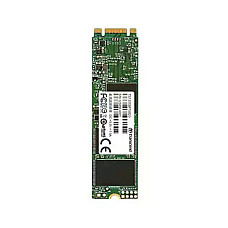
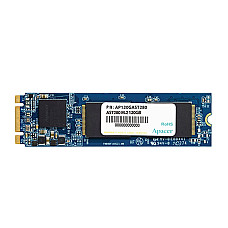
- M.2 SATA: e.g. Netac N5M M.2 2242. Common in older laptops with SATA-only M.2 slots.
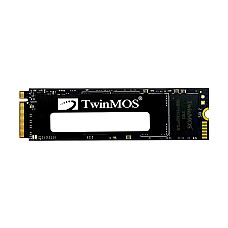
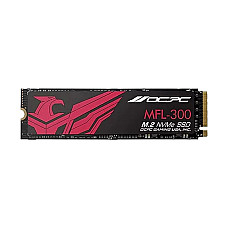
- M.2 NVMe: e.g. Colorful CN600, ADATA Legend 710, Team MP44L. Used in most laptops and motherboards from recent years.
- Length matters: 2280 (80mm) is standard; 2242 (42mm) fits some thin laptops.
Laptop SSD Price in BD: Which One Fits?
The right laptop SSD is the one your laptop's slot supports, so check the slot first, then pick the capacity.
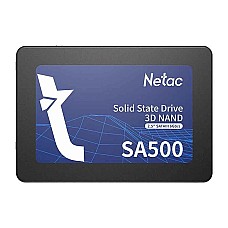
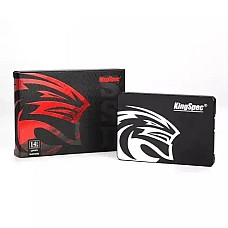
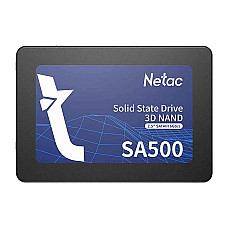
- Old laptop with a hard disk: replace it with a 2.5-inch SATA SSD such as the Netac SA500.
- Laptop with an M.2 slot: check the manual for NVMe or SATA support and the 2242 or 2280 length.
- Laptop with two slots: keep the original drive and add a second SSD for files.
Adding laptop RAM at the same time is a cheap way to make a 4GB laptop feel new.
What is an "SSD card"?
People who search "SSD card" usually mean a normal internal SSD. If you want a small drive to carry files between computers, choose a USB portable SSD instead.
SSD Comparison Table
| Model | Key spec | Best for |
|---|
| KingSpec P3 128GB | 2.5-inch SATA III | Old office or POS PC |
| Netac N5M 256GB | M.2 2242 SATA III | Thin laptops with short slots |
| ADATA Legend 710 256GB | M.2 2280 NVMe PCIe Gen3 x4 | Budget NVMe boot drive |
| Netac SA500 512GB | 2.5-inch SATA III | Laptop hard disk replacement |
| Colorful CN600 512GB | M.2 NVMe | Everyday laptop or desktop |
| Patriot P300 512GB | M.2 2280 NVMe PCIe Gen3 | Student and office PCs |
| Team MP44L 500GB | M.2 NVMe PCIe Gen4 | New PCIe 4.0 builds |
| ADATA Legend 710 1TB | M.2 2280 NVMe PCIe Gen3 x4 | Gaming library, video |
Best SSD for Each Buyer
The best SSD depends on who uses the computer and what it does all day. Here is how our sales team usually advises customers at the counter.
- Student laptop: 256GB or 512GB NVMe if the slot supports it; otherwise a 2.5-inch SATA SSD. Boot time drops from minutes to seconds.
- Office desktop or bank branch PC: 256GB SATA is enough for Windows, Office and the business software. Keep shared files on the server or a hard disk.
- Freelancer and graphic designer: 512GB NVMe as the main drive, so Photoshop, Illustrator and large project files open quickly.
- Gamer: 1TB NVMe. Install your main games on the SSD and keep older ones on a hard disk.
- YouTuber or video editor: 1TB NVMe Gen3 or Gen4 for the active project, with a large hard disk for archives.
- CCTV DVR/NVR PC or POS counter: a 128GB or 256GB SATA SSD for the operating system; recordings belong on a surveillance hard disk.
If you are not sure which slot your laptop or motherboard has, bring the model number to our showroom or send it to the hotline, and our team will match the right SSD before you pay.
How to Choose an SSD
- Check the slot: 2.5-inch SATA bay, M.2 SATA or M.2 NVMe, and 2242 or 2280 length.
- Pick capacity: 256GB minimum for Windows 11, 512GB for daily use, 1TB for games.
- Match the generation: buy Gen4 only for a PCIe 4.0 board or laptop.
- Look at TBW and warranty on the product page.
- Common mistake: buying NVMe for a SATA-only M.2 slot. It will not be detected.
- Another mistake: forgetting to clone Windows. Ask our team for help when you buy.
Compare the in-stock models above and order online, or visit our showroom to get the right drive for your PC.
Why Buy an SSD from Computer Village
SSD Price in BD FAQ
What is the SSD price in BD in 2026?
SSD price in BD depends on capacity and speed: 128GB SATA drives are the cheapest and 1TB NVMe drives cost the most. Check each product page for today's price, as prices change.
Which is better, SATA or NVMe SSD?
NVMe is better if your PC supports it. It is several times faster than SATA for a small price difference.
Is 256GB SSD enough for a laptop?
Yes, for office and study use. Choose 512GB if you keep photos, videos or games on the same drive.
Will an NVMe SSD work in my old laptop?
Only if the laptop has an M.2 slot that supports NVMe. Otherwise use a 2.5-inch or M.2 SATA SSD.
Which 1TB SSD is best for gaming?
A 1TB NVMe drive such as the ADATA Legend 710 1TB is a strong value pick for gaming PCs.
SSD or hard disk: which should I buy?
Use an SSD for Windows and apps, and a hard disk for bulk storage like movies and backups. This two-drive setup gives speed and space at the lowest total cost.
Related categories
Last updated: October 2026.