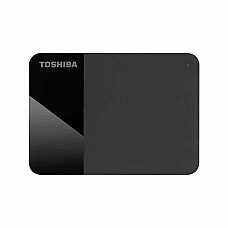
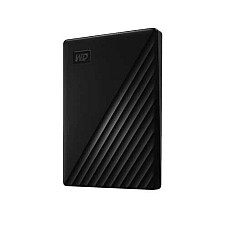
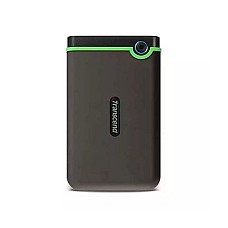
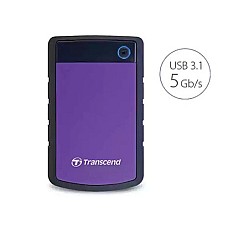
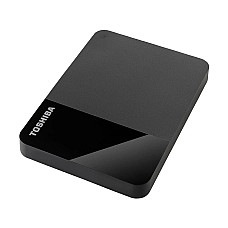
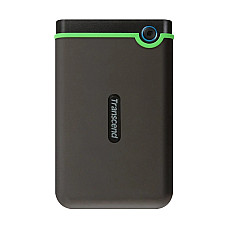
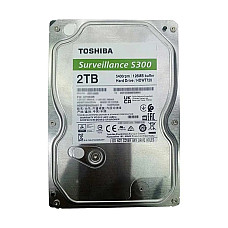
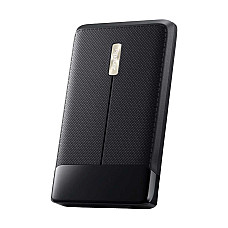
Hard Disk Drive Price in Bangladesh – Reliable Internal & External Storage Solutions at Computer Village
A dependable Hard Disk Drive serves as the foundational backbone for massive data archiving, system backups, media collections, and enterprise-grade server storage. Unlike high-speed solid-state drives engineered for instant OS booting, traditional magnetic hard disk drives remain the most cost-effective solution for storing terabytes of heavy files, multimedia projects, and long-term records. As an established, community-trusted tech destination in Bangladesh, Computer Village curates an authentic selection of internal desktop HDDs, laptop hard drives, and high-capacity portable external storage units tailored for everyday users, creative professionals, and corporate IT infrastructures.
Navigating data storage options requires evaluating capacity requirements, spindle speeds, cache memory, and interface compatibility. At Computer Village, the current market hard disk drive price in bd spans a flexible, budget-friendly spectrum—starting from accessible entry brackets for standard 1TB and 2TB personal backup drives, scaling up through mid-range desktop components, and extending toward high-capacity enterprise storage solutions designed for continuous multi-bay NAS enclosures and heavy surveillance recording systems.
Securing your valuable digital assets means prioritizing data integrity, robust mechanical shock resistance, and certified manufacturer reliability. Whether you are expanding your desktop storage capacity in Dhaka or deploying secure external drives for mobile fieldwork across Bangladesh, Computer Village ensures genuine factory-sealed products backed by official warranties and expert technical guidance.
Why Choose a Hard Disk Drive for Mass Data Storage?
The primary advantage of a hard disk drive lies in its unmatched cost-per-terabyte value. While solid-state drives dominate speed-critical workloads, mechanical HDDs utilize rapidly rotating magnetic platters and read/write heads to store massive volumes of data at a fraction of the cost. This makes them indispensable for deep archiving, professional video production backup archives, and extensive media libraries.
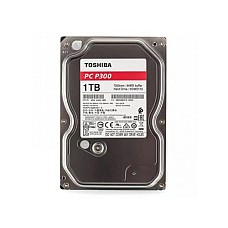
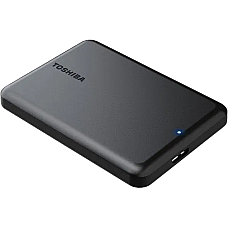
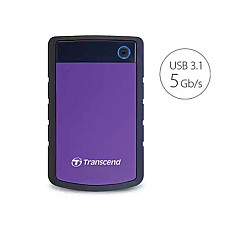
Modern hard drives are divided into distinct categories based on application: 3.5-inch internal drives optimized for desktop PCs and network-attached storage (NAS), 2.5-inch internal form factors for legacy mobile systems, and portable external hard drives equipped with USB 3.0/Type-C interfaces for plug-and-play convenience. Understanding your workload helps you strike the ideal balance between raw storage capacity and data transfer longevity.
Expert Insight: For long-term cold storage and backup repositories where files are accessed periodically rather than continuously read/write stressed every microsecond, mechanical hard drives offer exceptional operational lifespan and budget efficiency.
Top Global Storage Brands & Performance Tiers at Computer Village
Choosing the correct drive requires matching your specific use case with industry-leading manufacturers renowned for reliability, error-correction firmware, and specialized mechanical engineering:
Western Digital (WD) Hard Drives
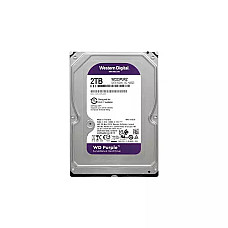
Categorized by color-coded performance tiers (WD Blue for everyday computing, WD Black for high-performance desktop storage, and WD Red/Purple for NAS and surveillance), Western Digital delivers exceptional versatility.
Best For: General desktop users, multi-bay network storage systems, and 24/7 security camera recording environments.
Seagate Hard Disk Solutions
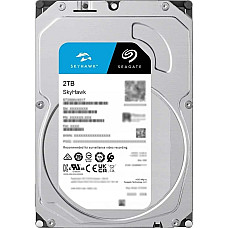
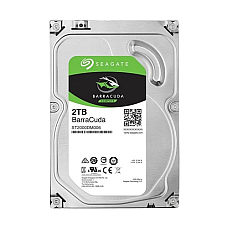
Seagate Barracuda and IronWolf series feature advanced caching algorithms, high spindle speeds, and rugged mechanical builds designed to handle massive data throughput with minimal latency.
Best For: Creative professionals managing large raw video files, corporate backup servers, and multi-user office workstations.
Toshiba Desktop & Portable HDDs
Toshiba offers reliable, energy-efficient storage options engineered with shock-sensing technology and stable data transfer speeds for everyday office productivity and personal archiving.
Best For: Budget-conscious users, student data backup, and standard desktop PC assembly.
Comprehensive Buying Guide: How to Choose the Right Hard Disk Drive
Before purchasing a hard drive, evaluating key technical specifications ensures optimal system compatibility and performance longevity:
1. Internal vs. External Form Factor
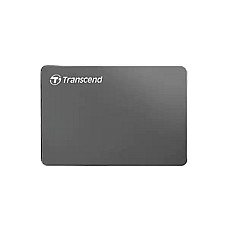
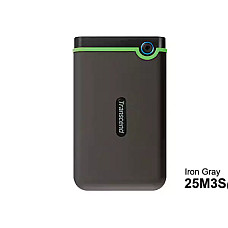
Determine whether you need an internal 3.5-inch drive to mount directly inside a desktop PC case or a portable 2.5-inch external hard drive encased in a protective shell for easy transport between home and office. Portable external drives connect via USB ports, making them ideal for mobile backups.
2. Storage Capacity Requirements
Evaluate your data volume. For light document storage and basic media, 1TB to 2TB drives are typically sufficient. However, if you work with high-definition video editing projects, extensive game libraries, or corporate database backups, investing in 4TB, 8TB, or higher capacity drives prevents running out of space prematurely.
3. RPM Speed and Cache Buffer
Standard hard drives operate at 5400 RPM or 7200 RPM. Higher spindle speeds (7200 RPM) combined with larger cache memory buffers (64MB to 256MB) deliver faster data transfer rates and quicker file retrieval times, which is essential when handling large application files.
Explore Top-Selling In-Stock Hard Drives & Related Storage Categories
To expand your system's storage capacity or explore alternative high-speed components, browse our verified live inventory and related hardware categories curated by Computer Village:
Trending Ready-Stock Models:
Explore Related Categories:
Considering alternative upgrades? Compare specifications and availability across our other hardware selections including high-speed internal SSD modules for lightning-fast OS performance, portable Portable Hard Disk solutions, high-performance Desktop PC workstations, and essential Computer Accessories to complete your setup.
Frequently Asked Questions (FAQs)
What is the difference between an HDD and an SSD?
A Hard Disk Drive (HDD) uses mechanical rotating platters and magnetic heads to store data, offering massive storage capacity at a lower cost. In contrast, a Solid State Drive (SSD) uses flash memory with no moving parts, delivering significantly faster boot times and file transfer speeds.
Which hard disk capacity is ideal for normal office and home use?
For standard office work, document archiving, and everyday media consumption, a 1TB or 2TB hard drive provides ample storage space. If you manage extensive 4K video files, professional design projects, or large games, opting for 4TB or higher is recommended.
Why should I purchase my Hard Disk Drive from Computer Village?
Computer Village offers 100% authentic storage products, official manufacturer warranties, dependable customer service centers, and competitive pricing across Bangladesh, ensuring complete confidence and reliable after-sales support with every purchase.