RAM Price in BD 2026: Latest Desktop Memory That Fits Your PC and Your Budget
At Computer Village, Ram price normally starts from around 2,100 Taka for an entry-level DDR3 stick and goes up to about 65,000 Taka for high-capacity DDR5 kits, depending on generation, capacity, speed and brand. Memory prices change frequently with import costs and the global market, so please check the latest price on our website before you buy.
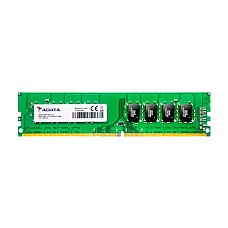
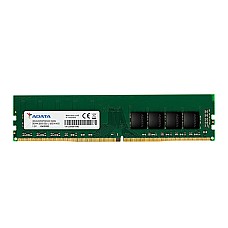
You'll find desktop RAM from Kingston, Corsair, G.Skill, Team, ADATA, Apacer, Transcend, PNY and more, all in one place and sorted by DDR3, DDR4 and DDR5. After more than 25 years serving PC builders from BCS Computer City, we've learned that the right RAM is the one your motherboard supports and your workload actually needs. This guide helps you find exactly that.
Desktop RAM at a Glance
- DDR4 is the right choice for AMD AM4 and Intel 6th to 11th Gen systems, and for many Intel 12th to 14th Gen boards.
- DDR5 is required for AMD AM5 (Ryzen 7000 and 9000) and Intel Core Ultra 200S platforms.
- 16GB is the practical minimum for most users in 2026, and 32GB suits serious gaming and content creation.
- Two matched sticks in dual-channel always outperform one stick of the same total capacity.
- DDR5-6000 CL30 is the most popular speed for AMD Ryzen 7000 and 9000 builds.
- Desktop RAM (DIMM) and laptop RAM (SODIMM) are physically different and cannot be swapped.
What Affects the Price of Desktop RAM?
The price of a RAM module depends mainly on its generation, capacity, speed rating and build quality. DDR5 costs more to produce than DDR4 because every module carries its own power management chip. Higher capacity per stick means denser memory chips. Faster speeds and tighter timings, such as 3600MHz CL16 instead of 3200MHz CL18, need better-binned chips. Heatsinks and RGB lighting add cost for looks and cooling, not raw speed.
The wider market plays a big part too. Through 2026, a large share of global memory production has gone to AI data centers, which has tightened supply of regular desktop RAM. Because Bangladesh imports nearly all of its memory, those global shifts and changes in the taka exchange rate show up in local prices fairly quickly.
How Do You Know Which RAM Is Compatible With Your PC?
Your motherboard decides which RAM your PC can use, so the first step is always to identify the board and its supported memory type. Here's the quickest way to check on Windows:
- Open Task Manager, go to Performance, then Memory. You'll see your current RAM speed, how many slots are in use, and the form factor.
- Press Windows + R, type msinfo32, and note the BaseBoard Product line. That's your motherboard model.
- Look up that model on the manufacturer's website and check the supported memory type and maximum speed. The free tool CPU-Z also shows your exact DDR generation.
Not sure what you're looking at? Send the Computer Village team your motherboard model or a photo of the box, and we'll confirm the right module before you pay.
Which RAM Works With Which Processor?
Each CPU platform supports a specific memory generation, and some perform best at a particular speed. Use this table as your shortcut:
| Platform | Supported RAM | Recommended Speed | Good to Know |
|---|
| Intel 2nd to 4th Gen | DDR3 | 1600MHz | Mostly upgrades now. Match the voltage of your existing stick, 1.5V DDR3 or 1.35V DDR3L. |
| Intel 6th to 11th Gen | DDR4 | 2666 to 3200MHz | The chipset may cap the speed. Faster RAM still works at the supported speed. |
| AMD AM4 (Ryzen 1000 to 5000) | DDR4 | 3200 to 3600MHz, CL16 | Ryzen gains noticeably from faster memory. |
| Intel 12th to 14th Gen | DDR4 or DDR5 | DDR4-3200 or DDR5-5600 to 6000 | Depends on the motherboard. A board supports one type, never both. |
| Intel Core Ultra 200S | DDR5 only | DDR5-5600 to 6400 | No DDR4 support. |
| AMD AM5 (Ryzen 7000 and 9000) | DDR5 only | DDR5-6000, CL30 | Choose an EXPO kit. The first boot may show a black screen for a minute or two during memory training. |
How Much RAM Do You Need in 2026?
Most users need 16GB of RAM in 2026, gamers and creators are better served by 32GB, and professionals running heavy workloads should consider 64GB or more.
| Your Use | Recommended Capacity | Ideal Kit |
|---|
| Office work, browsing, online classes | 8GB minimum, 16GB recommended | 2×4GB or 2×8GB |
| 1080p and esports gaming | 16GB | 2×8GB |
| AAA gaming with streaming | 32GB | 2×16GB |
| Video editing, graphic design, music production | 32GB to 64GB | 2×16GB or 2×32GB |
| Virtual machines, 3D rendering, local AI tools | 64GB or more | 2×32GB |
Every recommendation uses two sticks for a reason. A matched pair runs in dual-channel mode, giving the processor roughly twice the memory bandwidth of a single stick with the same capacity. It's one of the most affordable performance upgrades you can make.
DDR4 vs DDR5: Which Should You Buy?
Buy DDR5 if you're building a new AM5 or Intel Core Ultra PC, and stick with DDR4 if you're upgrading an AM4 or older Intel system. Those two new platforms accept only DDR5. On older systems, changing the motherboard and processor just to get faster memory rarely makes financial sense.
DDR5 brings several real improvements over DDR4. Each module manages its own power through an onboard PMIC, and splits into two independent channels for more efficient data handling. It runs at a lower base voltage of 1.1V compared with 1.2V for DDR4. It also includes on-die error correction, which is not the same as the full ECC used in server memory, and makes high-capacity kits far more practical for creative work.
How Do You Read a RAM Specification Label?
A RAM label tells you five things: generation, speed, latency, voltage and kit configuration. Take DDR5-6000 CL30 1.35V 2×16GB as an example:
- DDR5 is the generation, which must match your motherboard.
- 6000 is the data rate in MT/s, usually written as MHz by retailers.
- CL30 is the CAS latency. Lower is better at the same speed.
- 1.35V is the voltage needed to reach the rated XMP or EXPO speed.
- 2×16GB means two 16GB sticks, 32GB in total.
To compare latency across generations, divide the CL number by the speed and multiply by 2,000. The result is true latency in nanoseconds. DDR4-3200 CL16 and DDR5-6000 CL30 both come out at about 10ns, so their response times are nearly identical. DDR5 still pulls ahead because it moves far more data per second.
Real Buying Situations From Our Counter
One of the most common visitors is a Ryzen 5 5600 owner running a single 8GB stick and wondering why games stutter. Adding a matching second 8GB module for dual-channel usually fixes more than any graphics setting. We match the speed and timings of the existing stick wherever possible.
First-time AM5 builders typically leave with a 2×16GB DDR5-6000 CL30 EXPO kit and one piece of advice. If the screen stays black for a minute on first boot, it's memory training, not a faulty board. Let it complete, then enable EXPO in the BIOS.
Corporate buyers upgrading branded HP, Dell or Lenovo office desktops often have only two slots and very little space inside the case. Plain, low-profile modules are the safest choice, and we confirm the slot count before quoting a bulk order.
Customers who want to pair a new stick with an old one from another brand get an honest answer from us. It can work, but both modules will run at the slower speed, and stability isn't guaranteed. A factory-matched kit is the reliable option.
Common RAM Buying Mistakes to Avoid
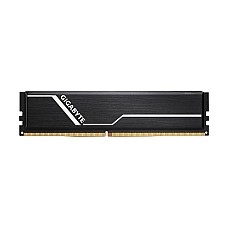
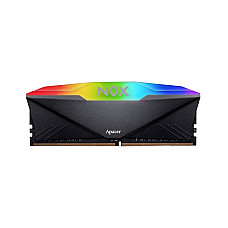
The biggest mistake is buying a single large stick when two smaller ones would perform better. Another is forgetting to enable XMP or EXPO in the BIOS, which leaves memory running at its default speed, often 2133MHz for DDR4 or 4800MHz for DDR5. Tall RGB heatsinks can clash with large air coolers, so check clearance first. Filling all four DDR5 slots usually lowers the maximum speed, which is why two higher-capacity sticks are the better approach. And laptop SODIMM memory will never fit a desktop slot, however similar it looks online.
How to Use the Filters on This Page
Choose your RAM Type first so you only see the generation your motherboard supports, then select the capacity you need. Narrow the results with BUS Speed using the platform table above. Use Other Feature if you want a heatsink or RGB lighting, and tick In Stock under Availability to see only modules ready for delivery today.
Choose Computer Village for a Desktop RAM that fulfill Your Demands
Computer Village has served computer buyers in Bangladesh for over 25 years, from our store at BCS Computer City in Agargaon and our branches nationwide. Every module we sell comes through authorized distribution channels, not grey-market imports. Many of the brands we carry offer lifetime or limited lifetime manufacturer warranty, and our own service team handles claims directly.
You can pay by card, mobile banking or cash, use 0% EMI on eligible bank cards, and get delivery anywhere in Bangladesh. If you have any doubt about compatibility, call our hotline or message us on WhatsApp before ordering. We're always happy to check.
Explore Related Categories and Best-Selling RAM
Building a complete system? Pair your memory with a compatible motherboard price list and the right processor price in BD. Add a fast SSD price in bangladesh, and check cooler clearance in our CPU cooler collection. Gamers can explore our gaming desktop RAM range, laptop users should visit laptop RAM price in BD, and businesses running ECC workloads will find server RAM in its own section. Prefer a particular brand? Browse Kingston desktop RAM, Corsair RAM or G.Skill RAM, or plan your full build with the Computer Village PC Builder.
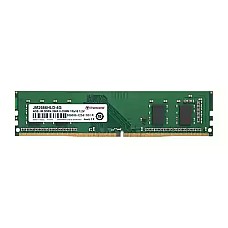
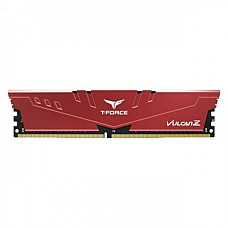
Our best-selling in-stock modules right now include the Kingston FURY Beast 16GB DDR5 5600MHz RGB desktop RAM for new DDR5 builds, the low-profile Corsair Vengeance LPX 8GB DDR4 3200MHz RAM, the Kingston FURY Beast 8GB DDR4 3200MHz RAM, the value-focused G.Skill Aegis 8GB DDR4 3200MHz desktop RAM, and the Team Vulcan Z 8GB DDR4 3200MHz gaming RAM.
Frequently Asked Questions About RAM
What decides the RAM price in Bangladesh?
RAM price in Bangladesh depends on the memory generation (DDR3, DDR4 or DDR5), capacity, speed, latency and brand. DDR5 and high-capacity kits cost more, while DDR3 and basic DDR4 modules are the most affordable. Computer Village updates prices regularly as the market changes.
Why are RAM prices higher in Bangladesh in 2026?
RAM prices are higher in 2026 because global manufacturers are directing much of their production to AI data centers, which reduces supply of regular desktop memory. Bangladesh imports almost all its RAM, so global price increases and exchange-rate changes both affect local prices.
Is 16GB RAM enough for gaming in 2026?
Yes, 16GB RAM in dual-channel (2×8GB) is enough for most games at 1080p in 2026. Gamers who stream or play the latest AAA titles should choose 32GB for extra headroom.
Can I use DDR5 RAM on a DDR4 motherboard?
No, DDR5 RAM cannot be used on a DDR4 motherboard. The two generations have different notch positions and electrical designs, and each motherboard supports only one type.
What is the best RAM speed for AMD Ryzen 7000 and 9000?
DDR5-6000 with CL30 timings is the best all-round RAM speed for AMD Ryzen 7000 and 9000 processors. It keeps the memory in sync with the CPU's internal fabric for strong performance and stability.
Can I mix RAM from different brands?
Mixing RAM brands can work but is not recommended. Mixed modules run at the slowest shared speed and timings and may cause instability. A matched kit from the same brand and series is the safer choice.
Does RAM speed matter on Intel processors?
RAM speed matters less on Intel processors than on AMD Ryzen. For most Intel users, having enough capacity in dual-channel gives a bigger performance gain than buying the highest speed.
How do I check my RAM type in Windows?
Open Task Manager, select Performance, then Memory, to see your RAM speed, used slots and form factor. To see the exact DDR generation, use the free CPU-Z tool and open its Memory tab.
Is dual-channel RAM worth it?
Yes, dual-channel RAM is worth it. Two matched sticks deliver roughly double the memory bandwidth of a single stick with the same capacity, improving gaming, integrated graphics and multitasking.
Does Computer Village provide warranty on RAM?
Yes, all desktop RAM from Computer Village comes with the manufacturer's warranty, which is lifetime or limited lifetime for many brands. Warranty claims are handled through Computer Village's own service team.