Your Cart
×

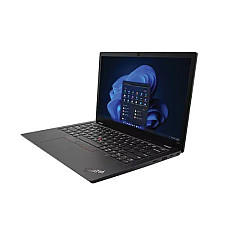
Lenovo Thinkpad Laptop
Lenovo Thinkpad Laptop
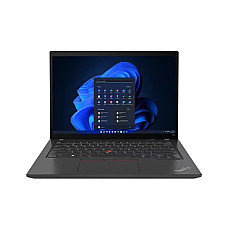
Brand: Lenovo
- Intel Core i5 1335U Processor
- 16GB DDR5 RAM
- 512GB NVMe SSD
- 14 Inch WUXGA Display
- Backlit keyboard
137,000৳
143,100৳
Ex Tax:137,000৳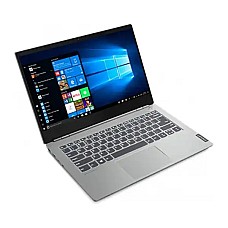
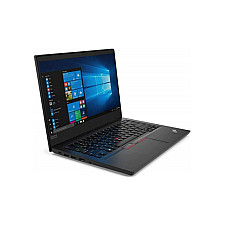
Brand: Lenovo
- Storage: 512GB SSD
- Graphics: Intel Iris Xᵉ Graphics
- Chipset: Intel SoC (System on Chip) platform
- Operating System: Free DOS
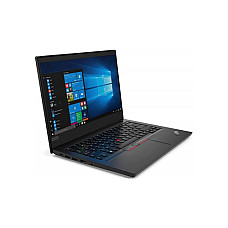
Brand: Lenovo
- Color: Black
- Processor Brand: Intel
- Battery Capacity: 46 Whr
- Ram: 16 GB DDR4 3200MHz
- Color: Black
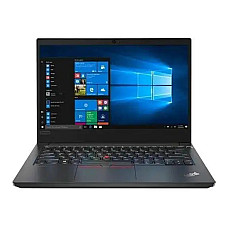
Brand: Lenovo
- Processor: Intel Core i5-1135G7
- Ram: 8GB DDR4L 3200 SoDIMM
- Operating System: Free DOS
- Color: Pure Black
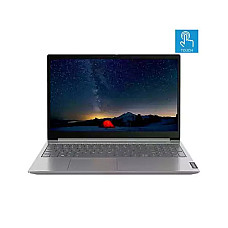

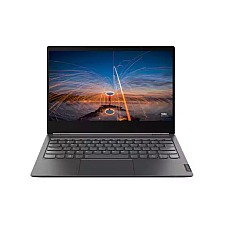

Brand: Lenovo
- RAM: 8GB
- Display Size: 14 Inch
- Graphics: Intel Iris Xe Graphics
- Processor: Intel Core i5-1235U
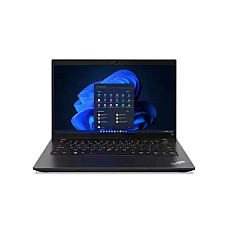
Brand: Lenovo
- RAM: 16GB
- WebCam: HD Webcam
- Display Size: 14 Inch
- Storage Capacity: 512GB SSD
Showing 1 to 19 of 19 (1 Pages)
Lenovo ThinkPad Price in BD: Find all Exclusive Collection from here
Almost every week, someone walks up to our counter at BCS Computer City, puts a tired old laptop on the glass and says, "I don't want to go through this again. I need something that just works." More often than not, that conversation ends with a ThinkPad in their hands.
We have sold and serviced ThinkPads for a long time, and the reason is simple. They are not the flashiest laptops on the shelf, but people keep them for five or six years and still use them for work every day. If you are checking the Lenovo ThinkPad price in BD then price starts approx. 1,37,000 taka. But keep in mind that it changes often with stock and the dollar rate, so always visit our website and confirm the latest rate before you buy.
The rest of this page covers what a spec sheet alone can't tell you: which series suits you, how to read the model names, and what to check before you buy.
Key Facts About Lenovo ThinkPad Laptops
- Series: E (entry business), L (corporate fleet), T (professional flagship), X (ultraportable), P (mobile workstation)
- Durability: Tested against MIL-STD-810H conditions, with a spill-resistant keyboard
- Signature features: Red TrackPoint, fingerprint reader in the power button, webcam privacy shutter
- Security: Discrete TPM chip, plus Intel vPro on select models
- Best for: Office professionals, developers, bankers, consultants, engineers and students in technical fields
- Available at: Computer Village, BCS Computer City, Agargaon, Dhaka, and online, with official Lenovo warranty
Why Professionals in Bangladesh Trust Lenovo ThinkPad Laptops
Professionals trust ThinkPads because they are built for reliability first and looks second.
The red TrackPoint, the comfortable spill-resistant keyboard and the tested chassis have defined the line for more than three decades. Banks, NGOs, multinationals and software companies across Dhaka and Chattogram run ThinkPad fleets because IT teams can encrypt, manage and service them easily. When you buy one for yourself, you get the same engineering those organisations rely on.
ThinkPad Series Explained: E, L, T, X and P
The letter in a ThinkPad's name tells you who it was built for.
| Series | Built For | Typical Buyer | What We Tell Customers |
|---|---|---|---|
| E Series | Entry business use | Small offices, freelancers, students | The simplest way into the ThinkPad keyboard and build quality |
| L Series | Corporate fleets | Admin, accounts and operations teams | Practical, easy to service, plenty of ports |
| T Series | All-day professional work | Managers, developers, bankers, consultants | The best balance of battery, keyboard and performance, and our most-requested series |
| X Series | Ultraportable travel | Executives and frequent flyers | The X1 Carbon weighs only slightly more than a kilogram |
| P Series | Mobile workstation tasks | Engineers, architects, CAD and data users | ISV-certified, with professional NVIDIA graphics options |
Which ThinkPad Is Best in Bangladesh for Your Work?
The ThinkPad T14 is the best all-round choice for most office users in Bangladesh, and the E14 is the best entry-level pick.
- Office work, emails, spreadsheets, Zoom calls: E14 or T14 with 16GB RAM
- Software development and Linux: T14 or T14s with a Thunderbolt dock for dual monitors
- Field work and frequent travel: L or T Series, chosen for the tested chassis
- Executives who fly often: X1 Carbon, for low weight and premium build
- CAD, design and engineering software: P Series, for certified drivers and professional graphics
How to Read ThinkPad Model Names and Generations
On modern ThinkPads, the number is the screen size and "Gen" is the chassis generation. The chassis Gen does not match the processor generation.
- Before 2020: Names like T480 and T490 combined the series letter, a "4" for the 14-inch size, and a digit for the yearly refresh.
- 2020 onward: Names follow the pattern T14 Gen 1, Gen 2, and so on. On the Intel side, Gen 2 carries 11th Gen Core, Gen 3 carries 12th Gen, Gen 4 carries 13th Gen (such as the Core i5-1335U), and Gen 5 moved to Core Ultra.
- Processor suffix: "U" chips favour battery life, while "P" and "H" chips favour sustained performance.
ThinkPad vs ThinkBook vs IdeaPad
Choose ThinkPad for durability and enterprise security, ThinkBook for small-business style, and IdeaPad for personal and student use.
| Factor | ThinkPad | ThinkBook | IdeaPad |
|---|---|---|---|
| Durability testing | MIL-STD-810H across the range | Selected models | Consumer-grade, with MIL-STD on some Slim models |
| Keyboard | TrackPoint, spill-resistant | Comfortable, no TrackPoint | Good for general typing |
| Security | dTPM, vPro on select models, fleet management | TPM and fingerprint on many models | Basic |
| Best fit | Professionals and organisations | Startups and SMEs | Students and home users |
Is a ThinkPad Worth It in 2026?
A ThinkPad is worth it if your laptop is a work tool you depend on every day.
You get a keyboard that survives years of heavy typing, hinges that don't loosen, stronger security and fewer trips to a repair shop during your busiest month. It is not the right fit for everyone, though:
- If gaming is your priority, look at LOQ or Legion.
- If you only browse and write assignments, an IdeaPad is enough.
- If you edit video heavily, choose the P Series or a creator laptop rather than an E or L model.
7 Things to Check Before You Buy a ThinkPad Laptop
- Match the serial number on the box, the laptop and the invoice. Then verify the warranty on Lenovo's official support site.
- Check the processor generation in the BIOS or system information, not only on the sticker.
- Look at the panel type: IPS or TN, FHD or WUXGA (16:10), and the brightness in nits.
- Ask whether the RAM is soldered, and whether there is a free slot for upgrades.
- Confirm the SSD length. M.2 2242 and 2280 drives are not interchangeable.
- Test the business features: TrackPoint, keyboard backlight, fingerprint reader and webcam shutter.
- Clarify the operating system. FreeDOS and Windows 11 Pro are different setups.
Compatibility Notes From Our Service Desk
- USB-C charging: Modern ThinkPads charge over USB-C Power Delivery, usually at 65W. A low-watt phone charger may charge very slowly.
- Docking: Models with Thunderbolt 4 or USB-C work with Lenovo docks. One cable then connects your monitors, LAN and peripherals.
- Memory: Recent models use DDR5, often with soldered memory plus a single upgrade slot. Choose the capacity you will need two years from now.
- Linux: ThinkPads are among the most Linux-friendly laptops, and Lenovo certifies selected models for Ubuntu and Fedora.
- Battery: Modern ThinkPad batteries are internal, so check battery health carefully when buying pre-owned.
Buy Your ThinkPad From Computer Village
- Authentic stock from authorised channels, with official Lenovo warranty that you can verify by serial number
- An in-house service desk at BCS Computer City, Agargaon, for repairs and original spare parts
- More than 25 years in business, as a BCS and e-CAB member with outlets across the country
- EMI options, secure online payment and dedicated corporate support for bulk ThinkPad orders
Explore Related Lenovo and Business Laptops
If you want a ThinkPad you can order today, the Lenovo ThinkPad T14 G4 Core i5-1335U 16GB laptop is our current T Series pick. It comes with 13th Gen Intel performance, DDR5 memory and a backlit keyboard.
Other Lenovo laptops that suit professional work include:
- the Lenovo IdeaPad Slim 3 Core i5-13420H 16GB 14-inch WUXGA laptop
- the Lenovo IdeaPad Slim 3 15IRH10 Core i5 16GB laptop
- the Lenovo IdeaPad Flex 5 Ryzen 7 7730U 14-inch touch laptop
- the Lenovo IdeaPad 5 2-in-1 Core Ultra 5 225H laptop
You can also browse the full Lenovo laptop collection, or compare other business lines:
Checked pre-owned Lenovo laptops are also available. To complete your setup, add a laptop docking station, upgrade with laptop RAM, or pair it with a Lenovo monitor.
Frequently Asked Questions About Lenovo ThinkPad
Which Lenovo ThinkPad is best in Bangladesh?
The ThinkPad T14 is the best all-rounder for most professionals in Bangladesh. The E14 is the best entry-level option, the X1 Carbon suits executives who travel often, and the P Series is best for engineering and design software.
Why is ThinkPad so popular for office work?
ThinkPad is popular for office work because it combines a class-leading keyboard, MIL-STD-810H tested durability and business security features that stay reliable for years.
What makes a ThinkPad different from an IdeaPad?
A ThinkPad is a business laptop with stronger build quality, a spill-resistant keyboard, the TrackPoint and dTPM security. An IdeaPad is a consumer laptop designed for everyday personal and student use.
What is the difference between ThinkPad and ThinkBook?
ThinkPad is Lenovo's flagship business line, with the TrackPoint and enterprise security. ThinkBook is a lighter, more style-focused small-business line without the TrackPoint and with less extensive durability testing.
Is a Lenovo ThinkPad good for students?
Yes. A ThinkPad is a strong choice for engineering, computer science and business students who type a lot and need a laptop that lasts the whole degree.
Do ThinkPads work well with Linux?
Yes. ThinkPads are among the most Linux-friendly laptops, and Lenovo officially certifies selected models for Ubuntu and Fedora.
Can I charge a ThinkPad with any USB-C charger?
Modern ThinkPads charge over USB-C Power Delivery. A 65W or higher adapter gives full-speed charging, while low-watt phone chargers may charge slowly.
Does a ThinkPad from Computer Village come with official warranty?
Yes. Every new ThinkPad sold at Computer Village carries official Lenovo warranty that you can verify by serial number, with after-sales support from our Agargaon service desk.
Is a pre-owned ThinkPad worth buying?
A pre-owned ThinkPad can be a smart choice if you check battery health, keyboard condition and the processor generation, and buy from a retailer that inspects its units and offers a store warranty.
Still Not Sure Which ThinkPad to Pick?
Come by our Computer Village showroom at BCS Computer City, Agargaon, or message our laptop team on WhatsApp. Tell us what you do every day, and we will point you to the ThinkPad that fits how you work.
Latest Lenovo Thinkpad Laptop Price List In Bangladesh 2026
| Product Name | Price |
|---|---|
| Lenovo ThinkPad Core i5 1335U 16GB RAM 512GB SSD 14 Inch FHD Black Laptop Model T14 G4 | 137,000৳ |