Your Cart
×

Server HDD
Server HDD
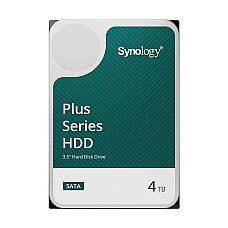
Brand: Synology
- Type: Non-Hot Plug Server HDD
- Storage - 4TB
- Form Factor (Inch) - 3.5 Inch
- Interface(s) - SATA 6 Gbps
29,500৳
Ex Tax:29,500৳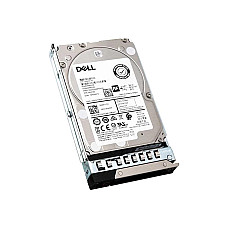
Brand: Dell
- Type - Hot Plug Server HDD
- Storage - 2.4TB
- Form Factor (Inch) - 2.5 Inch
- Data Transfer Rates - 12Gb/s
47,000৳
Ex Tax:47,000৳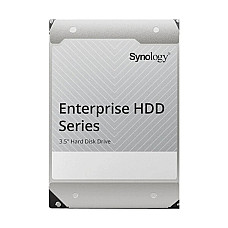
Brand: Synology
- Type - Non-Hot Plug Server HDD
- Storage - 8TB
- Form Factor (Inch) - 3.5 Inch
- Data Transfer Rates - 248MB/s
50,000৳
Ex Tax:50,000৳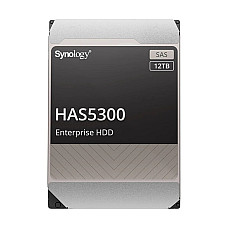
Brand: Synology
- Type - Non-Hot Plug Server HDD
- Storage - 12TB
- Form Factor (Inch) - 3.5 Inch
- Data Transfer Rates - 242MB/s
75,651৳
Ex Tax:75,651৳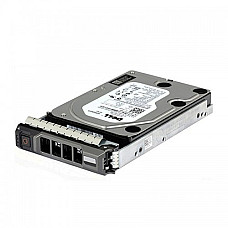
Brand: Dell
- Model: Hot Plug Hard Drive, CusKit
- Interface: SATA 6Gb/s
- Capacity: 2 TB
- Form Factor: 3.5 Inch, RPM: 7200 rpm
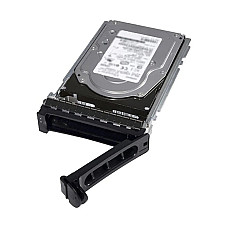
Brand: Dell
- Model: Dell 2TB
- Type: Hot plug Server HDD
- Storage: 2TB
- Form Factor (Inch): 3.5 Inch
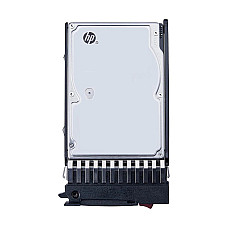
Brand: HP
- Type - Hot plug Server HDD
- Storage - 300GB
- Form Factor (Inch) - 2.5 Inch
- RPM - 10000 RPM
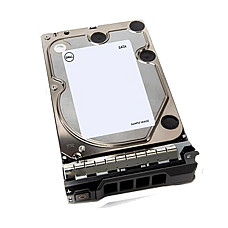
Brand: Dell
- Type - Hot plug Server HDD
- Storage - 4TB
- Form Factor (Inch) - 3.5 Inch
- Data Transfer Rates - 600MB/s
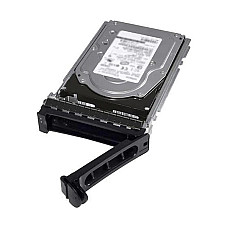
Brand: Dell
- Type - Hot Plug Server HDD
- Storage - 1.2TB
- Form Factor (Inch) - Unmentioned
- Data Transfer Rates - 12Gb/s
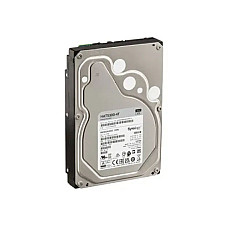
Brand: Synology
- Form Factor: 3.5 Inch
- Interface: SATA 6 Gb/s
- Rotational Speed: 7,200 rpm
- Interface Speed: 6.0 Gb/s, 3.0 Gb/s, 1.5 Gb/s
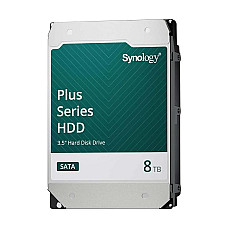
Brand: Synology
- Type - Non-Hot Plug Server HDD
- Storage - 8TB
- Form Factor (Inch) - 3.5 Inch
- Data Transfer Rates - 260MB/s
Brand: Dell
- Type - Hot plug Server HDD
- Storage - 8TB
- Form Factor (Inch) - 3.5 Inch
- Data Transfer Rates - 6Gb/s
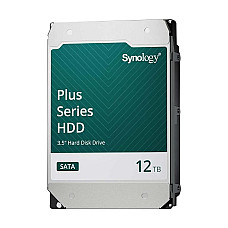
Brand: Synology
- Type - Non-Hot Plug Server HDD
- Storage - 12TB
- Form Factor (Inch) - 3.5 Inch
- Data Transfer Rates - 281MB/s
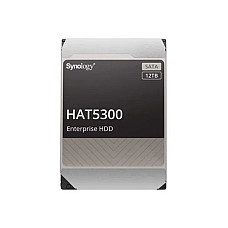
Brand: Synology
- Form Factor: 3.5"
- Interface: SATA 6 Gb/s
- Rotational Speed: 7,200 rpm
- Interface Speed: 6.0 Gb/s, 3.0 Gb/s, 1.5 Gb/s
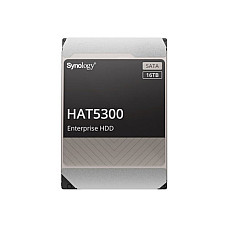
Brand: Synology
- Form Factor: 3.5"
- Interface: SATA 6 Gb/s
- Rotational Speed: 7,200 rpm
- Interface Speed: 6.0 Gb/s, 3.0 Gb/s, 1.5 Gb/s
Showing 1 to 15 of 15 (1 Pages)
Server HDD Price in Bangladesh 2026 — Enterprise Storage at Computer Village
A server HDD is an enterprise-grade hard drive engineered for one thing above all else: running continuously, 24 hours a day, 7 days a week, without failing. Where a desktop hard disk is designed for a machine that gets switched off every night, a server HDD is built to spin non-stop for years inside servers, NAS units, and data centers — which is why it carries higher MTBF ratings, stronger error correction, better vibration tolerance for multi-drive bays, and improved thermal control.
At Computer Village, the server HDD range spans three interface types — SATA, SAS, and NL-SAS — across capacities from a few terabytes up to enterprise scale, covering everything from budget-friendly bulk backup drives to high-speed 10K RPM SAS drives for mission-critical RAID arrays. Whether you're building a small office file server, a professional NAS for shared project storage, or a full enterprise data center, the right drive comes down to matching interface, RPM, and capacity to your actual workload.
Who Needs This Server HDD & Why
Server storage isn't one-size-fits-all. After years fitting drives into Dell PowerEdge and HPE ProLiant chassis for clients across Dhaka, we've learned the buyer almost always falls into one of three camps.
The Small-Business Owner / IT Admin. You're running a file server, an accounting database, or an office ERP that a dozen people hit all day. You don't need blistering 15K SAS speed — you need capacity that won't fail at 2 AM. A 4TB–8TB 7.2K NL-SAS or SATA drive is your sweet spot: enterprise reliability without paying for performance you'll never use.
The Data-Heavy Professional (NAS/Backup Builder). Video editors, architects, and studios building a Synology or QNAP NAS for shared project storage. You care about drives rated for NAS bays — sustained workload ratings and vibration tolerance matter when four or more drives spin in one enclosure. Enterprise-grade 8TB drives are built exactly for this.
The Mission-Critical Enterprise. Banks, hospitals, e-commerce platforms where downtime costs real money. You need 10K RPM SAS hot-plug drives in a RAID array — fast random access, hot-swap capability, and the highest MTBF ratings. Compatibility with your exact server model (Dell, HPE, Lenovo) is non-negotiable, and that's where showroom-level advice earns its keep.
What Computer Village Standards in this Category Product
Buying enterprise storage online is a leap of faith — refurbished drives relabelled as new is a real risk in the BD market. Here's why Computer Village is different:
- A physical showroom you can walk into. We're not a drop-ship page. Come see the drive, check the label, ask questions face-to-face before you buy.
- Years serving Bangladesh's IT sector. We've supplied storage to offices, ISPs, and data centers nationwide — and we still pick up the phone after the sale.
- Genuine-product promise. Every server HDD we sell is authentic and warranty-backed. No grey-market surprises.
- Warranty & service center support. Real warranty claims handled at a real service desk — not an email that goes nowhere.
- Expert consultation. Tell us your server model and workload; we'll tell you the right drive. That advice is free.
Decoding the Specs
Server HDDs use terms desktop buyers rarely see. Here are the five that actually decide your purchase:
Interface — SATA vs SAS vs NL-SAS. SATA is cost-effective with big capacity, ideal for backups and file storage. SAS offers faster transfer, better error handling, and higher reliability for mission-critical servers. NL-SAS (Near-Line SAS) is the middle ground — SAS reliability and command handling at near-SATA capacity, perfect for data warehouses and mixed workloads.
RPM (Rotational Speed). 7.2K RPM drives maximize capacity per bay and suit backup and bulk storage. 10K and 15K RPM SAS drives deliver faster random access for databases and virtualization — you gain responsiveness where it counts.
Capacity & RAID Math. Higher-capacity drives (8TB+) are more efficient per gigabyte. But remember RAID: four 2TB drives in RAID 1 mirroring give you only 4TB usable — always plan 2–3 years ahead so you don't upgrade prematurely.
Hot-Plug vs Non-Hot-Plug. Hot-swap drives can be replaced without powering down the server — essential for zero-downtime environments. Confirm your chassis supports hot-plug before buying.
MTBF & Workload Rating. Enterprise drives quote high MTBF (mean time between failures) and annual workload ratings (in TB/year). These are what let a drive run 24/7 for years where a desktop drive would quit.
Handpicked Line-up
Synology HAT5310 8TB 7.2K RPM Enterprise HDD
Verdict: The default recommendation for anyone building a serious NAS. Purpose-built endurance, big capacity, and Synology's own reliability tuning make it the safe choice for shared storage.
Key spec: 8TB · 3.5" · 7.2K RPM · SATA 6Gb/s · enterprise workload rating
View product →
Who it's for: NAS builders and backup servers needing capacity that lasts.
Dell 2.4TB 10K RPM SAS 12Gbps 2.5" Hot-Plug HDD
Verdict: The performance pick for Dell PowerEdge owners. Fast 10K random access plus hot-swap convenience for live production servers.
Key spec: 2.4TB · 2.5" · 10K RPM · 12Gb/s SAS · Hot-plug
See product →
Who it's for: Database and virtualization workloads on Dell hardware.
What Are the Extra Essentials of This Category
A server HDD rarely ships alone. Pair it with:
- Pair this with a Server SSD — put your OS, cache, or hot databases on flash and let HDDs handle bulk storage.
- Pair this with a complete Server / PowerEdge system — if you're building from scratch, buy the chassis and drives matched.
- Pair this with Server RAM (DDR4 ECC) — ECC memory protects data integrity the same way enterprise drives do.
- Pair this with a Dell Server — confirm drive-and-chassis compatibility in one order.
- Pair this with the full Server & Storage range — browse NAS enclosures, controllers, and complete storage builds.
- Pair this with a desktop Hard Disk — for non-critical backup or secondary storage.
Real Questions, Real Answers
What is a server HDD and how is it different from a normal hard disk?
A server HDD is an enterprise-grade drive engineered for continuous 24/7 operation with higher MTBF ratings, stronger error correction, and vibration resistance. Unlike desktop hard drives, it's built for data centers, business servers, and NAS systems where reliability under constant heavy workload matters most.
Which server HDD is the best to buy?
For most buyers, the Synology HAT5310 8TB 7.2K enterprise HDD offers the best balance of capacity and reliability. For high-performance servers, the Dell 2.4TB 10K RPM SAS hot-plug drive is the top pick. The right choice depends on your server model and workload.
Do server HDDs come with warranty?
Yes. Every server HDD sold at Computer Village is a genuine product backed by warranty and supported through our service center. If a drive develops a fault within its warranty period, you can raise a claim at our showroom or service desk for inspection and replacement.
Is EMI available for server HDDs?
Yes, EMI options are available on eligible purchases, which helps when buying multiple drives for a RAID array or a full server build. EMI terms vary by card and bank, so contact Computer Village directly to confirm current plans and any minimum purchase requirement before ordering.
Can I get delivery outside Dhaka?
Yes. Computer Village delivers server HDDs nationwide across Bangladesh, including Chattogram, Sylhet, Rajshahi, Khulna, and other districts. Delivery timelines depend on your location and courier partner. Dhaka orders are typically fastest; you can also collect from our showroom.
SATA or SAS — which should I choose?
Choose SATA for cost-effective, high-capacity storage like backups and file servers. Choose SAS for mission-critical servers needing higher speed, better error handling, and reliability. NL-SAS is a strong middle option, giving SAS-class dependability at near-SATA capacity for mixed workloads.
Best Delivery & Support in Bangladesh
Computer Village delivers enterprise storage nationwide across Bangladesh — from Dhaka to Chattogram, Sylhet, Rajshahi, Khulna, and beyond — with reliable courier partners and prompt dispatch. As one of Bangladesh's trusted IT shops for genuine server and storage hardware, we back every drive with authentic-product assurance and warranty.
Visit the showroom to inspect drives, confirm server compatibility, and get free expert consultation before you commit — especially valuable when matching drives to a specific Dell, HPE, or Lenovo chassis. Warranty claims are handled directly at our service center: bring the drive with proof of purchase, and our team manages inspection and replacement under the manufacturer's terms.
Whether you're buying a single replacement drive or provisioning a full RAID array, you get the same after-sales support that has made Computer Village a go-to name for enterprise storage in Bangladesh.