Your Cart
×

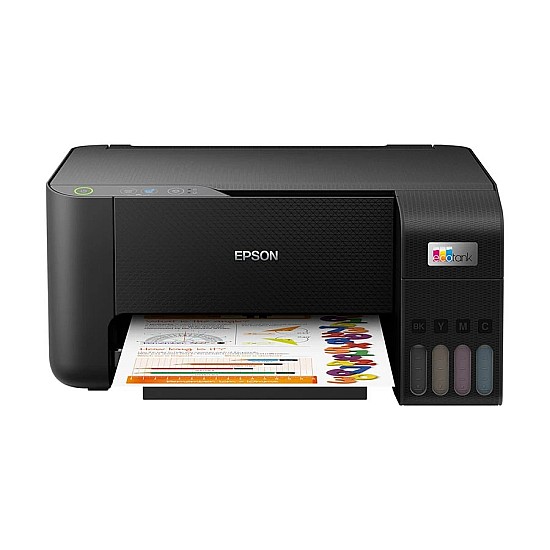
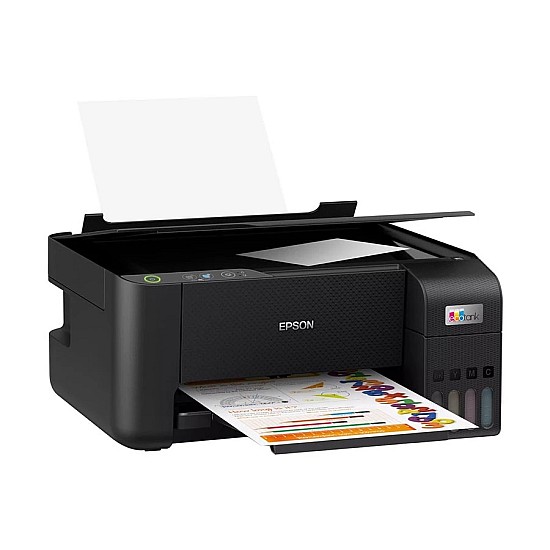
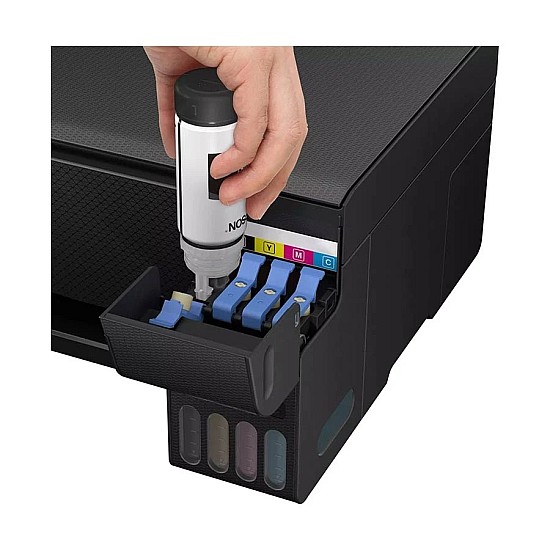
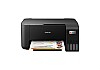
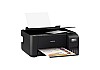

Epson L3210 EcoTank Multifunction InkTank Printer
Key Features
- Resolution: 5760 x 1440 dpi
- Print Technology: Inkjet
- Copy Speed: 7ipm (Black), 1.7ipm (Colour)
- First-Print-Out Time: 10sec (Colour), 16sec (Black)
Price Change Declaimer
Payment Options
Product Image Declaimer
Product Information Declaimer
| General Information | |
| Output Color | Color |
| Main Features | |
| Ink types | Black Ink Bottle: 4,500 Pages, 003 (C13T00V100 / C13T00V199, Cyan Ink Bottle: 7,500 Pages, 003 (C13T00V200 / C13T00V299, Magenta Ink Bottle: 7,500 Pages, 003 (C13T00V300 / C13T00V399, Yellow Ink Bottle: 7,500 Pages, 003 (C13T00V400 / C13T00V499 |
| Print Specs | |
| Technology | Inkjet |
| Print Speed | Photo Default - 10 x 15 cm / 4 x 6 " x 1: Approx. 69 sec per photo (Border) / 90 sec per photo (Borderless) x 2 Draft, A4 (Black / Colour): Up to 33.0 ppm / 15.0 ppm x 2 ISO 24734, A4 Simplex (Black / Colour): Up to 10.0 ipm / 5.0 ipm x 2 |
| Copy Specs | |
| Copy Speed | 7ipm (Black), 1.7ipm (Colour) |
| First-Copy-Out Time | Approx. 10 sec / 16 sec x 2 10sec (Colour), 16sec (Black) |
| Resolution | 5760 x 1440 dpi 600 x 600 dpi 600 x 1200 dpi |
| Scan Specs | |
| Scan Speed | 11sec (Black), 32sec (Colour) |
| Scan Paper Size | Paper Sizes: Legal (8.5 x 14"), Indian-Legal (215 x 345 mm), 8.5 x 13", Letter, A4, 16K (195 x 270 mm), B5, A5, B6, A6, Hagaki (100 x 148 mm), 5 x 7", 5 x 8", 4 x 6", Envelopes: #10, DL, C6 Maximum Paper Size: 215.9 x 1200 mm |
| Paper Information | |
| Input Capacity | Up to 100 sheets of Plain Paper (80 g/m2) Up to 20 sheets of Premium Glossy Photo Paper |
| Output Capacity | Up to 30 sheets of Plain Paper (80 g/m2) Up to 20 sheets of Premium Glossy Photo Paper |
| Technical Specs | |
| Power | AC 220-240 V Sound Power (Black / Colour) 5.1 / 5.2 B(A), Sound Pressure (Black / Colour) 38 / 39 dB(A) Sound Power (Black / Colour) 6.4 / 6.2 B(A), Sound Pressure (Black / Colour) 50 / 48 dB(A) |
| Power Consumption | 14.0 W (Operating), 0.4 W (Sleep), 0.2 W (Power off), 4.0 W (Standby) Software |
| Physical Specification | |
| Color | Black |
| Dimensions | 375 x 347 x 179mm |
| Weight | 3.9 kg |
| Warranty | |
| Manufacturing Warranty | 01 year warranty |
| Other Features | |
| Others | Bit Depth: Scanner Bit Depth (Color): 48-bit input, 24-bit output Scanner Bit Depth (Grayscale): 16-bit input, 8-bit output Scanner Bit Depth (Black & White): 16-bit input, 1-bit output USB: USB 2.0 Memory |
Description
Epson L3210 EcoTank: The Printer That Keeps Paying You Back
Most people pick a printer by its price tag and only later find out what it really costs: the cartridges. The Epson L3210 EcoTank flips that around. It is an ink tank printer that prints, scans and copies, and it is filled from bottles instead of cartridges. One black bottle covers up to 4,500 pages. Over a year of regular printing, that one difference saves more money than almost any other choice you can make.
If you are checking the Epson L3210 printer price in Bangladesh, you will find the latest price on this page. Printer prices move with import costs and stock, so please confirm the current price on our website before you order. To see how it compares with other machines, browse our printer price in Bangladesh collection.
What 4,500 Pages Actually Means
The page count is easier to understand when you put it into everyday terms. A student who prints 15 pages of notes and assignments every day would take about ten months to use up one black bottle. A small shop printing 30 invoices a day would get roughly five months. On the colour side, one set of cyan, magenta and yellow bottles is rated at up to 7,500 pages.
When a tank finally runs low, a refill takes a few minutes. The Epson 003 black ink bottle and the Epson 003 colour ink bottle set each fit only their own tank, so you cannot pour a colour into the wrong place. The tanks sit at the front with a clear window, so you always know how much ink is left before a big print job, not halfway through it.
A Normal Week with the L3210
Sunday morning, assignment due. You send ten pages from the laptop. The first page comes out in about 10 seconds and the rest follow at up to 10 pages per minute in standard black mode. If it is only a rough copy, draft mode pushes that up to 33 pages per minute.
Midweek, office paperwork. A client needs a signed copy of a contract. You place it on the scanner glass, press copy, and get a clean copy without turning on a computer. The printer can make up to 20 copies of a page in one go.
Weekend, family photos. You load glossy paper and print borderless 4R photos at up to 5760 x 1440 dpi. Each borderless photo takes about a minute and a half, and colours come out bright because the L3210 uses dye-based ink, which is made for vivid photo prints.
Behind all of this is Epson's Micro Piezo Heat-Free print head. It sprays ink with tiny 3-picolitre droplets without heating it, which keeps text sharp, power use low at around 14 W, and the head under less stress over years of use.
Three Machines in the Space of One
The L3210 takes up about as much room as a stack of textbooks: 375 x 347 x 179 mm and 3.9 kg. In that space you get a printer, a photocopier and a flatbed colour scanner. The scanner reads at 600 x 1200 dpi across a full A4 area, so NID copies, certificates, bank papers and handwritten notes come out clear enough to email or upload to an online form. A black-and-white scan finishes in about 11 seconds and a colour scan in about 32.
The rear tray holds up to 100 sheets of plain A4 paper, so you are not refilling paper every few minutes. For photos it takes up to 20 sheets of glossy paper. Good-quality A4 photo paper makes a visible difference in colour depth and finish.
Where the L3210 Falls Short
No printer is right for everyone, so here is where this one is limited:
- No Wi-Fi. It connects to a computer with a USB cable. If you want to print straight from your phone, the Epson EcoTank M1120 Monochrome Wi-Fi Ink Tank Printer is the same machine with wireless added.
- Two-sided printing is manual. You can print on both sides, but you turn the pages over yourself.
- Prints are not waterproof. Dye ink gives rich colour but can smudge if it gets wet.
- It needs to be used. Like any inkjet, the nozzles can dry out if the printer sits unused for weeks.
Is the L3210 the Right Choice for You?
It is a strong fit if you print regularly at home, in a study room or a small office, want to print, scan and copy from one machine, care more about low running cost than wireless features, and print photos now and then.
Look at another model if you mainly print from a phone, need automatic double-sided printing, or print hundreds of black-and-white pages every day. For those needs, our Epson printer price in BD range has other EcoTank models built for them.
How to Keep It Printing Well for Years
A few simple habits make a big difference. Use original Epson 003 ink, because poor-quality refill ink is the most common reason print heads block. Print at least one page every few days, even if you have nothing to print, to keep the nozzles moist. If lines look faded or a colour goes missing, run a nozzle check first and a head cleaning only if it is needed, since each cleaning uses some ink. Refill a tank before it drops below the lower line, and keep the printer covered when it is not in use, away from dust and direct sunlight.
Questions Buyers Often Ask
Is the Epson L3210 a good printer for students?
Yes. Students usually print a lot of black text, and the L3210's black bottle lasts up to 4,500 pages. It also scans and copies, which helps with forms, certificates and online applications.
How long will the ink last?
It depends on how much you print. At about 15 pages a day, one black bottle lasts around ten months. Colour bottles are rated at up to 7,500 pages per set.
Can I print from my mobile phone?
Not directly. The L3210 connects by USB only. For phone printing over Wi-Fi, choose the Epson L3250.
Which ink should I buy for refills?
The L3210 uses Epson 003 bottles in black, cyan, magenta and yellow. Each bottle fits only its matching tank.
Can it photocopy without a computer?
Yes. Place the page on the scanner glass and press the copy button. It can make up to 20 copies at a time.
What is the price of Epson L3210 EcoTank Multifunction InkTank Printer in Bangladesh 2026?
Epson L3210 EcoTank Multifunction InkTank Printer price in todays market on 21-11-2026 is BD 19,550৳. With great features like Resolution: 5760 X 1440 Dpi, Print Technology: Inkjet, Copy Speed: 7ipm (Black), 1.7ipm (Colour), First-Print-Out Time: 10sec (Colour), 16sec (Black), this Epson L3210 EcoTank Multifunction InkTank Printer comes with 1 Year manufacturing warranty from Epson, based on 1 reviews. Computer Village is presenting an incredible offer on Epson L3210 EcoTank Multifunction InkTank Printer at 19,550৳ from the regular price of 19,550৳. This product is currently in In Stock at our Showroom. Follow us on Facebook to stay updated with the latest offers. Visit our YouTube channel for product reviews and subscribe to receive update notifications.
Related Products
50,000৳ 59,000৳
Ex Tax:50,000৳
125,000৳ 130,000৳
Ex Tax:125,000৳
72,000৳ 80,500৳
Ex Tax:72,000৳
Recently Viewed
Same Brand Product
50,000৳ 59,000৳
Ex Tax:50,000৳
You May also Like
Tags: