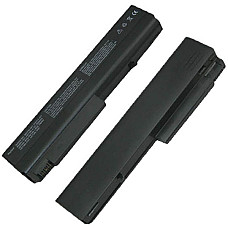
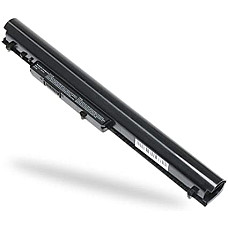
Laptop Battery Price in BD – Genuine & Compatible Batteries at Computer Village
Are You Looking for a genuine laptop battery price in bd that actually matches your machine? Computer Village stocks original and A-grade replacement batteries for HP, Dell, Lenovo, Asus, Acer, and Toshiba — sorted by model, voltage, and cell count so you order the exact part your laptop needs, not a "close enough" guess. Prices are grouped by brand and capacity below, with in-stock availability updated daily and backed by our service-center warranty.
We've been fixing, upgrading, and replacing laptop parts out of BCS Computer City, Agargaon for 25+ years, and battery replacement is one of the most common walk-in requests our technicians handle. This page is built from that shop-floor experience — not copied spec sheets — so you'll find the same practical advice our in-store engineers give every customer who walks in asking "which battery fits my laptop?"
What Exactly Is a Laptop Battery, and Why Does the Right One Matter?
A laptop battery is the rechargeable lithium cell pack that stores power so your laptop runs without being plugged in — and the "right one" is defined by three things: physical fit, voltage match, and part-number compatibility, not just brand name.
Most batteries sold in Bangladesh today are Lithium-ion (Li-ion), with newer ultrabooks and 2-in-1s moving toward slimmer Lithium-Polymer (Li-Po) packs. Each one is built for a specific voltage range — commonly 10.8V, 11.1V, or 14.8V depending on cell configuration — and a specific mAh/Wh capacity. Fit a battery with the wrong voltage or an incompatible part number, and at best it simply won't charge; at worst it damages the motherboard's power circuit. That's why our team always cross-checks the laptop's model number and the battery's part number (the string like HSTNN-, HS04, WA04, or 45N1005 printed under the old battery) before recommending a replacement — a habit worth copying even if you're buying online.
Original vs. Compatible (Aftermarket) Batteries — Which Should You Buy?
Original (OEM) batteries carry the exact manufacturer cell and firmware for guaranteed compatibility, while compatible/A-grade replacement batteries use equivalent-spec cells at a friendlier price — both are legitimate choices, the decision comes down to your laptop's age and how long you plan to keep it.
If your laptop is still under manufacturer warranty or you rely on it for mission-critical work, an OEM battery keeps that warranty intact and matches the laptop's battery-health reporting precisely. For older laptops — think a 4-5 year old ProBook, Inspiron, or IdeaPad — a quality A-grade compatible battery, built with genuine A-grade lithium cells and proper protection circuitry, delivers nearly identical backup time at a lower cost. What you should avoid entirely are uncertified "grey" batteries with no brand traceability; they're the ones that swell, leak, or die within a few charge cycles. Every battery Computer Village sells, original or compatible, comes from vetted suppliers with a stated warranty period, so you're never gambling on cell quality.
How Laptop Battery Generations and Series Differ
Battery compatibility is tied to the laptop's specific series and generation, not just its brand — an HP ProBook 440 G3 battery will not fit a ProBook 440 G9, even though both say "ProBook."
Manufacturers redesign battery bays every few hardware generations to fit thinner chassis or new cell chemistry. A few patterns our technicians see constantly:
- HP: Pavilion, EliteBook, and ProBook batteries are grouped by part-number families (e.g., HS04/HS03, OA04/OA03, CS03XL, KI04/LA04) rather than by model year alone.
- Dell: Inspiron, Latitude, and Vostro each use distinct connector shapes and voltage classes across generations — a Latitude E-series battery won't sit in a newer Latitude 5000/7000 series bay.
- Lenovo: ThinkPad, IdeaPad, and Legion batteries differ sharply — ThinkPads often use internal, screw-mounted packs, while many IdeaPads use quick-release external batteries.
- Asus and Acer: VivoBook/ZenBook and Aspire/Swift series batteries are usually generation-specific and rarely cross-compatible even within the same series name.
The safest way to avoid a mismatch is to give our sales team either your laptop's exact model number (found on the base sticker) or the battery's current part number — we'll confirm the fit before you pay, whether you're ordering online or calling the hotline.
Signs Your Laptop Battery Needs Replacing
Fast-draining charge, sudden shutdowns at 20-30% remaining, a swollen casing lifting the trackpad, or a laptop that only runs while plugged in are the four clearest signs a battery has reached end-of-life.
We see the same real-world scenarios on repeat at our service counter. A university student's 3-year-old laptop that used to run a full lecture now dies in 40 minutes — that's capacity fade, a normal chemical aging process in lithium cells. A freelancer's laptop suddenly powers off mid-render even with 25% shown on the indicator — that's the battery's internal cells losing the ability to deliver stable current under load, not an accurate charge reading. And the one we treat as urgent every time: a slightly puffed-up bottom panel or a trackpad that's started clicking oddly on one side — that's a swelling cell, and it should be replaced immediately rather than "used a little longer," since a swollen lithium battery is a genuine safety risk, not just a performance one.
How to Choose the Right Laptop Battery — A Buyer's Checklist
Match four specs before you buy: exact model/part number, correct voltage, capacity (mAh or Wh) equal to or higher than your original, and cell count matching your laptop's battery bay design.
- Confirm the part number first. It's printed on the battery label or your laptop's base — this single number resolves 90% of compatibility questions instantly.
- Match or exceed original capacity. A higher mAh/Wh rating (when the part number matches) simply means longer backup — never a problem. A lower rating means shorter runtime than you're used to.
- Check cell count and voltage together. A 3-cell 11.1V pack and a 6-cell 11.1V pack aren't interchangeable just because the voltage matches — physical size and mounting differ.
- Look for built-in protection circuitry. Overcharge, over-discharge, short-circuit, and thermal protection are non-negotiable on any battery you buy — ask before ordering if it isn't listed.
- Prioritize warranty over price alone. A battery that's slightly costlier but backed by a real warranty and a physical service center is nearly always the better long-term buy than the cheapest unbranded listing.
Reasons of Buying Your Laptop Battery from Computer Village
Computer Village backs every battery with authentic sourcing, a stated warranty period, a walk-in service center, and transparent, always-current pricing — so what you see listed is what you pay, with support after the sale.
We're not a marketplace reseller; we're a physical tech retailer with more than two decades of standing in Dhaka's BCS Computer City, and our technicians install and test batteries daily, which is exactly why this guide reads like shop-floor advice rather than a product brochure. Beyond batteries, our in-house service desk also handles chargers, keyboards, displays, and full laptop diagnostics — so if a battery issue turns out to be a charging-circuit or motherboard fault instead, you're diagnosed by the same team, not passed between vendors. Every listing on this page reflects real-time stock, and our support lines (hotline and WhatsApp) are staffed for pre-purchase compatibility checks — a step we genuinely recommend taking before you check out.
Popular In-Stock Laptop Batteries at Computer Village
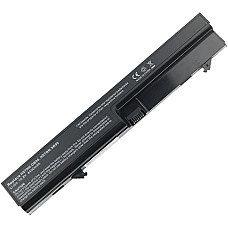
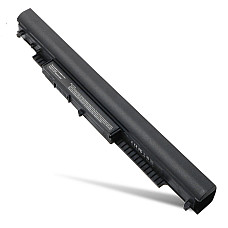
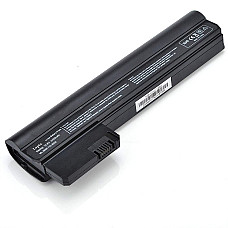
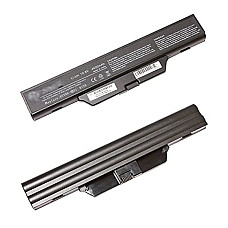
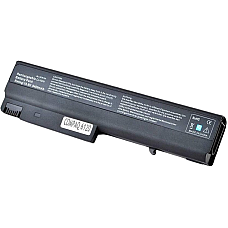
These are among our most frequently ordered replacement batteries this month, all currently in stock:
Explore More Laptop Accessories at Computer Village
A battery swap is often just one part of a laptop's tune-up. Browse related categories our customers usually check alongside a battery order:
Frequently Asked Questions About Laptop Batteries in Bangladesh
What is the average laptop battery price in bd?
Laptop battery prices in Bangladesh vary mainly by brand, cell count, and whether the battery is original or A-grade compatible — budget compatible packs sit at the lower end, while original high-capacity or business-series batteries (EliteBook, ThinkPad, Latitude) cost more. Check the live pricing table above for the current range across every brand we stock.
How do I know which battery fits my laptop?
Match your laptop's exact model number and the part number printed on your current battery — these two details are the fastest way to confirm compatibility, faster than matching by brand or series name alone. If you're unsure, our sales team can verify fitment before you order.
Is a compatible (non-OEM) laptop battery safe to use?
Yes, provided it's built with genuine A-grade cells and proper protection circuitry from a traceable supplier — the risk isn't "non-OEM," it's uncertified, no-brand cells with no safety protection. Every compatible battery Computer Village sells passes this bar and carries a warranty.
How long should a laptop battery last before replacement?
Most lithium-ion laptop batteries hold usable capacity for roughly 2 to 4 years or 300-500 charge cycles, after which noticeably shorter backup time signals it's time to replace. Heavy daily use, high heat, and always charging to 100% can shorten this window further.
Can I keep using my laptop if the battery is swollen?
No — a swollen lithium battery should be removed and replaced immediately, as continued use risks further swelling, casing damage, or a safety hazard. Bring it to our service center for safe removal and a compatible replacement.
Does Computer Village install the battery after purchase?
Yes — walk-in customers at our Agargaon service center get battery installation support, and our technicians will verify correct seating and charging behavior before you leave. For online orders, installation guidance is available via our support lines.
What warranty comes with a laptop battery from Computer Village?
Warranty coverage depends on the specific battery and brand, and is stated clearly on each product page at the time of purchase. Genuine sourcing plus a documented warranty is standard across our laptop battery collection.