Your Cart
×

TP-Link access point
TP-Link access point
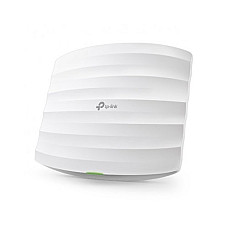
Brand: TP-Link
- Speed: 300 Mbps at 2.4GHz
- 2× Internal Antennas
- 802.3af PoE & 9V DC
- Load Balance
3,150৳
Ex Tax:3,150৳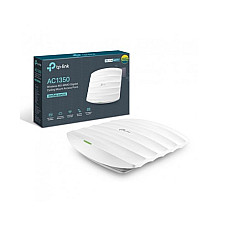
Brand: TP-Link
- Button: Reset
- Power consumption: 12.6W
- Antenna: 3× Internal Antennas
- PoE in: 802.3af/at PoE PoE or passive PoE
6,990৳
Ex Tax:6,990৳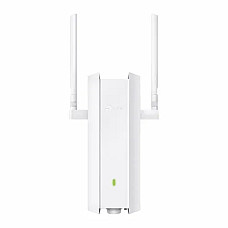
Brand: TP-Link
- Antenna: 2× External Dual-Band Omni Antennas
- Data Rate: 574Mbps 2.4GHz + 1201Mbps 5 GHz
- Interface: 1x Gigabit Ethernet Port, PoE Support
- Omada Mesh, IP67 Waterproof & Dustproof
24,690৳
26,490৳
Ex Tax:24,690৳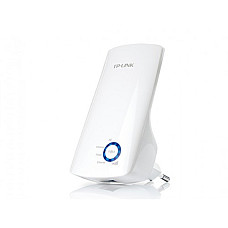
Brand: TP-Link
- Interface: 1 * 10/100M LAN Port
- Frequency: 2.4~2.4835GHz
- Power: < 20 dBm
- RE (Range Extender) Button

Brand: TP-Link
- Output Interface: 3 USB-A 3.0 Ports
- Ethernet Port: 1 Gigabit
- Input Interface: 1 USB-A 3.0 Connector
- Chipset: RTL8153
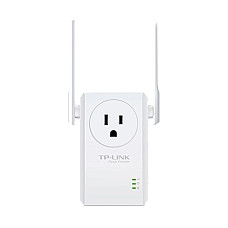
Brand: TP-Link
- Antenna : 2 x external
- Button: Range Extender Button
- Power Consumption: 3W
- Wireless Modes: Range Extender

Brand: TP-Link
- Antenna: 2 x external
- Frequency: 2.4~2.4835GHz
- Interface: 1 x 10/100M Ethernet Port
- Signal Rate: Up to 300Mbps
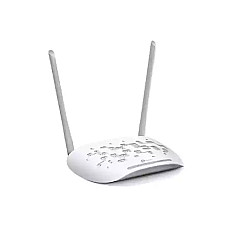
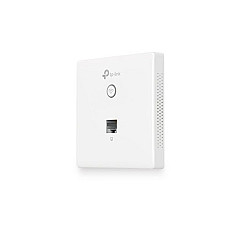
Brand: TP-Link
- Compatible with EU Standard Junction Bo
- Speed: 300 Mbps at 2.4 GHz
- 2× Internal Antennas
- Load Balance
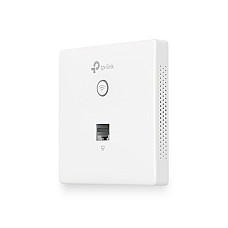
Brand: TP-Link
- Architecture: Wall Mount
- PoE in: PoE(IEEE 802.3af)
- Power consumption: 2.8 W
- Antenna: 2× Internal Antennas
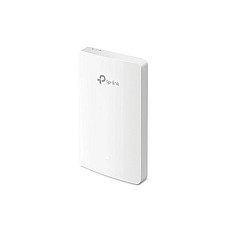
Brand: TP-Link
- Speed: 300 Mbps on 2.4 GHz
- Wall Plate Mounting
- Frequency: 2.4 GHz and 5 GHz
- Compatible with US, EU and 86mm junction boxes
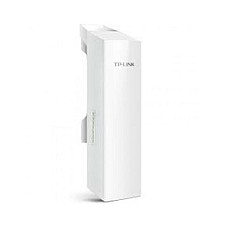
Brand: TP-Link
- Weatherproof Enclosure
- 15km+ Wireless Data Transmission
- TP-LINK MAXtream TDMA Technology
- Built-in 13dBi Dual-polarized Directional Antenna
Brand: TP-Link
- Button: 1 Reset Button
- Dimensions: 8.8 x 3.1 x 2.4 in
- Ram: 64MB DDR2 RAM, 8MB Flash
- Power consumption: 10.5 Watts Max
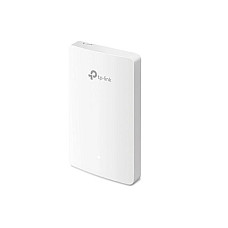
Brand: TP-Link
- Button: Reset
- Wireless frequency: 2.4 GHz and 5 GHz
- Wireless standards: IEEE 802.11a/b/g/n/ac
- PoE in: 802.3af/802.3at PoE

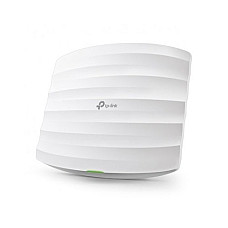
Brand: TP-Link
- 3x Internal Antennas
- Seamless Roaming
- Airtime Fairness
- Wireless frequency: 2.4GHz and 5GHz
- 3x Internal Antennas
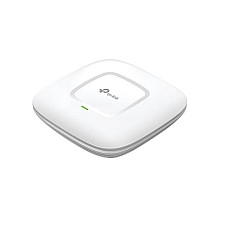
Brand: TP-Link
- Button: Reset
- Power consumption: 12.3 W
- Wireless frequency: 2.4GHz and 5GHz
- Wireless standards: IEEE 802.11ac/n/g/b/a
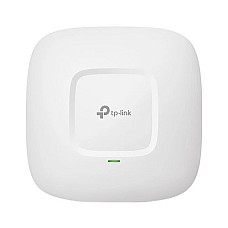
Brand: TP-Link
- Button: 1x Reset Button
- Power consumption: 12.3 Watts
- Wireless frequency: 2.4GHz and 5GHz
- Wireless standards: IEEE 802.11ac/n/g/b/a
- Button: 1x Reset Button

Brand: TP-Link
- Operating Temperature: 0℃~40℃
- Dimensions: 100 × 98 × 25mm
- Ethernet: 2 × 10/100Mbps Ethernet Port
- Warranty: 1 Year
What is a TP-Link access point, and when do you need one?
A TP-Link access point connects to your existing router or switch by LAN cable and adds fast, stable Wi-Fi to offices, shops, campuses and homes. At Computer Village you can compare original TP-Link EAP (Omada), Wi-Fi 6 and outdoor CPE models, check the live BDT price on this page, and buy with official brand warranty.
An access point (AP) adds wireless coverage to a wired network; it does not replace your router. The router handles internet, DHCP and routing. The AP's only job is to carry Wi-Fi traffic cleanly. That is why an office with a router in one corner still has dead spots, while the same office with an AP mounted at the centre of the ceiling does not.
TP-Link covers this category with three families. Omada EAP models are business-grade ceiling and wall-plate units. Outdoor Wi-Fi 6 units are weather-sealed for open areas. CPE units are built for point-to-point links between buildings. Computer Village, a long-running tech destination in Agargaon's BCS Computer City, stocks and services all three, so you can match the device to the space instead of guessing from a spec sheet.
What decides TP-Link access points price in BD?
Six things move the price: Wi-Fi generation, radio setup, PoE support, build type, Omada management and port speed.
- Wi-Fi generation: Wi-Fi 4 (N300) sits at the budget end, dual-band Wi-Fi 5 in the middle, Wi-Fi 6 at the premium end.
- Radios and antennas: dual-band, MU-MIMO models with more antennas cost more than single-band units.
- Build: IP67 outdoor housings cost more than plain indoor plastic.
- Management: Omada controller support matters once you run more than one AP.
- Ports and power: Gigabit ports and 802.3af/at PoE support add to the cost.
Every in-stock product on this page shows its current BDT price, and the list header shows the date it was last refreshed. For a model marked "Call for Price", our networking desk will quote you directly.
Pick by place, not by spec sheet
The right access point depends on where it will hang and how many people will use it at once. These are the situations buyers bring to our networking desk most often.
Small office, clinic or coaching centre
A few rooms with browsing, email and cloud billing is exactly what a Wi-Fi 4 N300 unit like the TP-Link EAP115 handles well. It broadcasts at 2.4 GHz, which carries through walls better than 5 GHz. Its Fast Ethernet port is a good fit for that speed class.
Busy office, café, showroom or school floor
This is where the TP-Link EAP225 AC1350 earns its place. Dual-band operation and MU-MIMO let the 5 GHz radio serve several devices at the same time. Airtime fairness stops one slow phone from dragging everyone else down. Three internal antennas and seamless roaming suit staff who walk between rooms on video calls. Because it runs on 802.3af/at PoE, you only need one cable to the ceiling.
Hotel rooms, hostels and hospital wards
Wall-plate models such as the EAP115-Wall and EAP235-Wall sit flush on a standard wall box, like a power socket. You get a clean look and a signal inside each room instead of one loud AP in the corridor.
Terraces, factory yards, resort lawns and parking areas
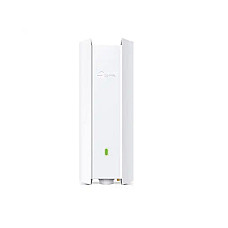
The TP-Link EAP625-Outdoor HD AX1800 is built for open air. It is Wi-Fi 6 with 574 Mbps on 2.4 GHz and 1,201 Mbps on 5 GHz, two external dual-band omni antennas, one Gigabit PoE port and an IP67 dust-and-water-tight body. It also supports Omada Mesh when running a cable is hard.
Linking two buildings or a remote shed
The CPE220 (2.4 GHz) and CPE510 (5 GHz, 13 dBi dual-polarised directional antenna, MAXtream TDMA) are used in pairs. TP-Link rates the CPE510 for 15 km+ in ideal line of sight, so real range depends on clear sightlines, pole height and interference.
Check out TP-Link access point series at a glance
| Series | Wi-Fi standard | Bands | Best for | Power and mounting |
|---|---|---|---|---|
| EAP115 / EAP115-Wall | Wi-Fi 4 (N300) | 2.4 GHz | Small offices, light use | 802.3af PoE or 9V DC (EAP115); ceiling or wall plate |
| EAP225 AC1350 | Wi-Fi 5, MU-MIMO | 2.4 + 5 GHz | Cafés, showrooms, busy offices | 802.3af/at or passive PoE; ceiling |
| EAP235-Wall AC1200 | Wi-Fi 5 | 2.4 + 5 GHz | Hotel rooms, hostels, wards | PoE; wall plate |
| EAP245 AC1750 class | Wi-Fi 5 | 2.4 + 5 GHz | Larger offices needing headroom | PoE; ceiling |
| EAP610 / EAP625 Outdoor | Wi-Fi 6 (AX1800) | 2.4 + 5 GHz | Terraces, yards, campuses | PoE (802.3at on EAP610); EAP625 is IP67 |
| CPE220 / CPE510 | Outdoor CPE (N300) | 2.4 GHz / 5 GHz | Building-to-building links | Pole or wall; weatherproof |
Stock rotates between models. Live availability is shown on each listing, and our networking desk can confirm anything not showing "Add to Cart".
Wi-Fi 4, Wi-Fi 5 or Wi-Fi 6: which one should you buy?
Wi-Fi 5 is the safe default; choose Wi-Fi 6 when many devices connect at once or the AP will work outdoors. Wi-Fi 4 only suits light, low-budget jobs. Wi-Fi 6 handles crowded networks more efficiently, but your phones and laptops need to support it to see the benefit. Most newer devices already do.
PoE explained: one cable for data and power
Most Omada EAP models are powered over Ethernet, so one cable carries both data and power and you don't need a socket at the ceiling.
- 802.3af delivers up to 15.4 W, which is enough for EAP115 and EAP225 class units (the EAP225 draws about 12.6 W).
- 802.3at delivers up to 30 W and suits more power-hungry Wi-Fi 6 outdoor models.
- Passive PoE adapters work on models that accept them. Check the product spec first.
- Keep each cable run within 100 m on Cat5e or Cat6.
If you are installing several APs, a PoE switch is the cleanest way to power them all.
Omada: managing many access points as one network
Omada is TP-Link's management platform that lets you configure a whole fleet of APs from one dashboard. A single AP can run standalone from its own web page. With two or more, a controller gives you one shared SSID, seamless roaming, guest portals, VLANs and scheduled Wi-Fi. The controller can be a hardware unit like the OC200, software on a PC, or cloud-based. Mixing different EAP models under one controller is normal.
Compatibility and common questions before you buy
An access point is not a router or a range extender. A router creates and routes the network, an AP adds cable-backed Wi-Fi to it, and a range extender repeats an existing wireless signal and loses some speed. For offices and multi-room buildings, wired APs are the more reliable choice.
TP-Link APs work with routers and switches from any brand. Plug the AP into a LAN port, keep DHCP on the router, and use the same SSID and password on each AP so devices roam without reconnecting.
Placement tips from the installation side
- Mount at the centre of the area, on the ceiling where possible, and keep it away from metal cabinets and thick concrete columns.
- Don't put two APs in one room. Space them across rooms, and use channels 1, 6 and 11 on 2.4 GHz.
- Use 5 GHz for speed and 2.4 GHz for reach. Don't turn off 2.4 GHz if you have older devices or printers.
- Walk the space with a phone before drilling. It takes ten minutes and prevents moving the AP later.
Get Your TP-Link access points from Computer Village
You get original TP-Link hardware, brand warranty and a showroom you can walk into.
- Authentic stock: original TP-Link products with brand warranty. The period is shown on each product page.
- Established name: more than 25 years of customer service, a registered trade licence (TRAD/DNCC/008773/2022), and BCS and e-CAB membership.
- Transparent pricing: BDT prices are listed on the page with the refresh date.
- Service and advice: our networking desk can size an AP plan for your floor before you buy, and the service centre handles support after.
- Secure payment: online orders go through SSLCommerz, or you can pay in person at the showroom.
Explore also related networking gear
Pair your access point with the right switch, router and cabling.
Popular in-stock picks:
- TP-Link EAP115 ceiling mount access point for small offices
- TP-Link EAP225 AC1350 MU-MIMO access point for busy dual-band coverage
- TP-Link EAP625 outdoor Wi-Fi 6 access point for open-air areas
- TP-Link TL-SF1006P PoE desktop switch to power PoE access points
- TP-Link TL-SG1008D 8-port Gigabit switch for wired backbone connections
Related categories:
- Access point price in Bangladesh (all brands)
- TP-Link router price in BD
- TP-Link network switch price in BD
- TP-Link range extender
- Tenda access points
- Cudy access points
- Ruijie access points
- UTP network cable
- All networking products
TP-Link access point FAQ
What is the TP-Link access points price in BD?
Prices depend mainly on Wi-Fi generation, indoor or outdoor build, PoE and Omada support. Entry-level Wi-Fi 4 ceiling units sit at the budget end, Wi-Fi 5 dual-band models in the middle, and Wi-Fi 6 outdoor units at the premium end. Computer Village shows the current BDT price on every in-stock product, with the update date at the top of this page.
Which TP-Link access point is best for an office?
For most offices, a dual-band Wi-Fi 5 or Wi-Fi 6 ceiling model such as the EAP225 is the safest pick. Choose Wi-Fi 6 if many phones and laptops connect at the same time.
What is the difference between an access point, a router and a range extender?
A router creates and manages the network and connects it to the internet. An access point adds cable-backed Wi-Fi to that network. A range extender repeats an existing wireless signal and loses some speed doing so.
Do TP-Link access points need a PoE switch?
Not strictly. Many EAP models accept PoE so one cable carries data and power, but they can also run from a passive PoE adapter or, on models that support it, a DC adapter. A PoE switch is the cleanest option when you install several APs.
Does a TP-Link access point work with other brands of router?
Yes. Connect it to any router or switch LAN port, keep DHCP on the router, and use the same SSID and password on every AP for smooth roaming.
What is Omada and do I need it?
Omada is TP-Link's management platform for controlling multiple access points from one dashboard. You can run a single AP without it, but a controller makes roaming, guest Wi-Fi and VLAN management much easier once you have two or more.
Can I use an indoor access point outdoors?
No. Indoor models are not sealed against dust, rain or heat. For open areas use a weatherproof model such as the EAP625-Outdoor, which carries an IP67 rating.
What warranty do TP-Link access points have?
Computer Village sells original TP-Link products with brand warranty. Most listings show one year, and some models list longer. The exact period is on each product page, so keep your invoice.
Where can I buy or see TP-Link access points in person?
Visit Computer Village at BCS Computer City, IDB Bhaban, Shop 226 (2nd floor), Agargaon, Dhaka-1207, or order online. Call the hotline on 09613605905 (10 AM to 8 PM) or message the Router and Networking desk on WhatsApp.