Network Switch Price in BD — Buy the Right Switch, Not Just a Cheap One
A network switch is the box that lets every wired device in your home, office, or CCTV setup talk to each other at full speed — and at Computer Village, network switch price in BD spans a basic 5-port desktop model right up to rack-mounted managed switches for enterprise networks, all genuine, all under official warranty. Below, instead of just listing specs, we've organized this guide the way our networking desk actually talks to customers: by what you're trying to connect, because that's the question that decides which switch you need — not the other way around.
Computer Village has operated out of BCS Computer City, Agargaon, for more than 25 years. Our networking team doesn't just shelve these switches — we've wired them into shopping mall CCTV backbones, hospital LANs, and hundred-seat call centers across Dhaka. When something in this guide sounds specific, it's because it came from a support ticket, not a spec sheet.
Start Here: What Are You Actually Connecting?
Most people search "network switch price in bd" with a router already at home and a problem: too few ports, a laggy shared drive, or a new CCTV camera with nowhere to plug in. Pick your situation below.
Home or a Single Desk — "I just need more ports"
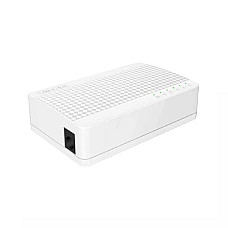
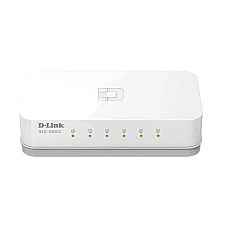
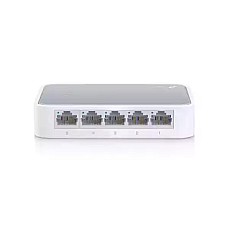
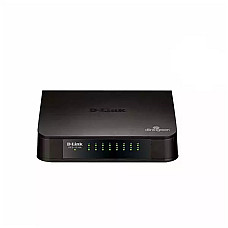
An unmanaged 5-to-8-port switch, no configuration needed. If your router only has four LAN ports and you've already run out connecting a smart TV, a desktop, and a printer, an unmanaged switch is a five-minute fix. Plug it into any free LAN port on your router, connect your devices to it, and it works immediately — no login screen, no app, nothing to misconfigure. This is the cheapest tier of network switch price in Bangladesh, and for a single room or desk, spending more buys you features you'll never open.
Small Office or Shop Floor — "The shared drive slows to a crawl by afternoon"
An 8-to-16-port Gigabit switch, and check whether you actually need managed features. We had a small accounting office near Motijheel come in convinced their internet package was too slow — the actual problem was an old 10/100 hub broadcasting every packet to every port, so the moment two staff pulled files off the shared drive simultaneously, the whole office network choked. Moving them to an 8-port Gigabit switch solved it the same afternoon, because Gigabit switching gives every port its own full-speed lane instead of one shared broadcast channel. If you have more than one department, or you need to stop one team's heavy usage from slowing another's, that's when a managed or smart-managed switch — with VLANs to separate traffic — starts paying for itself.
CCTV, Access Points & IP Phones — "I don't want a power adapter at every camera"
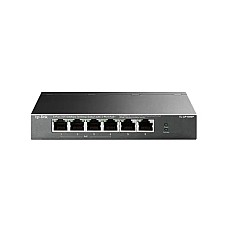
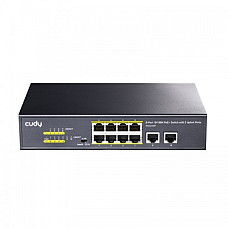
A PoE (Power over Ethernet) switch, sized to your total camera wattage, not just your port count. This is the single most common mistake we see at the counter: someone buys an 8-port PoE switch assuming all 8 ports can run high-draw cameras simultaneously, without checking the switch's total PoE power budget. A switch might have 8 PoE ports but only 60W of total power to share between them — enough for eight low-draw cameras, but not enough for four PTZ cameras that each pull 15-20W. Before buying, add up the wattage of every camera or access point you plan to connect, then check that number against the switch's total PoE budget, not just its port count.
Multi-Floor Office, ISP Node, or Server Room — "We need this to scale"
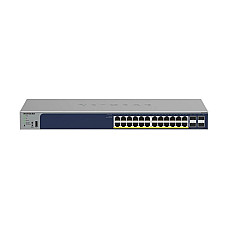
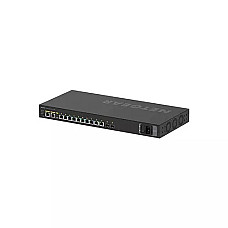
A managed switch with SFP uplinks and a non-blocking backplane. Once you're connecting floors, wiring closets, or a server rack, you need three things a basic switch doesn't offer: VLANs to keep departments or tenants isolated, an SFP slot so you can run a fiber uplink between floors (fiber shrugs off the electromagnetic interference that degrades long copper runs), and a switching capacity high enough that every port can run at full speed at once without dropping packets. This is where brands like Cisco, MikroTik, and Netgear's managed lines earn their higher price point — the hardware is built for constant, heavy load, not intermittent home use.
Decode the Spec Sheet Before You Buy
Every network switch price in BD listing throws the same jargon at you. Here's what actually matters, in plain language.
Managed vs. Unmanaged — what's the real difference?
Unmanaged switches work the instant you plug them in; managed switches give you a login screen and real control. Unmanaged is zero-configuration — ideal for anyone who wants more ports without becoming a network administrator. Managed switches add VLANs (network segmentation), QoS (prioritizing voice/video traffic over bulk downloads), port mirroring for diagnostics, and remote monitoring. Smart-managed switches sit in between, offering the most-used managed features through a simplified web dashboard rather than a full command-line interface.
Fast Ethernet vs. Gigabit — does the difference actually matter?
Yes, in almost every modern setup. Fast Ethernet (10/100 Mbps) is only worth choosing today for the tightest budgets or truly legacy equipment. Gigabit (10/100/1000 Mbps) is the sensible default for 2026 — file transfers, HD/4K streaming, video calls, and gaming all benefit from the extra headroom. One catch: to actually get Gigabit speeds, your network cable matters too — a Cat5e or older cable can bottleneck a Gigabit switch, which is why pairing it with proper Cat6 cabling is worth the small extra cost.
Switching Capacity (Backplane) — the number most buyers skip
This figure tells you whether every port can run at full speed at the same time, or whether the switch will bottleneck under load. A "non-blocking" switch handles all its ports simultaneously at full advertised speed. Cheaper switches sometimes have a backplane lower than the sum of all their ports' theoretical throughput — fine for light home use, a real problem in a busy office.
Bangladesh-Specific Buying Advice
Our grid and climate are hard on networking hardware, so build in some margin. Frequent voltage fluctuations mean a switch without surge protection can degrade or fail faster here than in a stable-power country — running it behind a decent UPS isn't optional if you want it to stay "up" during load-shedding. Metal-chassis switches also handle Dhaka's summer heat and humidity noticeably better than plastic-bodied ones over years of continuous operation, particularly in cramped server cabinets with poor airflow.
Mistakes We See at the Counter — So You Don't Repeat Them
- Buying by port count alone, ignoring PoE wattage. Eight PoE ports doesn't mean eight cameras — check the total power budget against your device wattage first.
- Skipping the cabling upgrade. A brand-new Gigabit switch connected with old Cat5 cable will quietly cap itself at Fast Ethernet speeds.
- No headroom for growth. Buying an exact port-count match today usually means buying a second switch — and daisy-chaining two cheap switches — within a year. Add roughly 30% extra ports for the devices you'll add later.
- Running critical switches with no UPS backup. A switch that reboots on every power flicker takes your whole wired network down with it, cameras included.
- Assuming grey-market pricing is a bargain. A switch without a valid local warranty is not cheaper once it fails outside any service coverage.
Build the Full Network — Not Just the Switch
A switch is the core of a wired network, but it rarely works alone. Pair it with a capable router for your internet connection, extend wireless coverage with an access point, run proper Cat6 UTP cable so your Gigabit ports actually perform at Gigabit speed, close Wi-Fi dead zones with a range extender, and if you're linking buildings or floors, look at optical fiber with a media converter for interference-free long-distance uplinks.
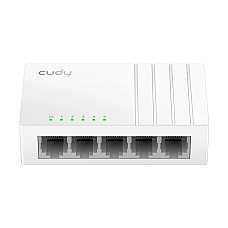
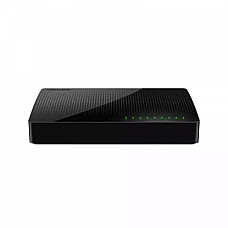
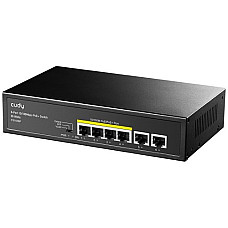
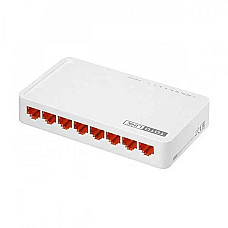
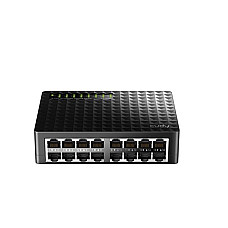
For the switch itself, our in-stock, verified best-sellers cover every scenario above: the Tenda S105 5-port unmanaged switch for a home desk, the TP-Link TL-SG1008D 8-port Gigabit switch and Tenda SG108 8-port Gigabit switch for a small office upgrade, the Cudy FS1006P PoE+ switch for CCTV and access-point power, and the Cudy FS1016D 16-port switch for a growing office needing more headroom.
Why Buy Your Network Switch From Computer Village
- Genuine stock, official channels — no grey-market imports.
- Brand warranty, claimable locally — walk into BCS Computer City, don't mail a courier abroad.
- In-house service center — our own technicians handle setup and repair, not a third party.
- 25+ years of networking experience — e-CAB and BCS certified, with a team that has actually configured these switches in the field.
- Talk to a human before you buy — our networking desk can size your PoE budget or port count over a call before you commit.
Frequently Asked Questions
What is the network switch price in BD right now?
Network switch price in Bangladesh at Computer Village starts with a basic 5-port unmanaged model and rises through Gigabit, PoE, and fully managed enterprise switches — the exact price depends on port count, speed, and PoE support. Check the live list above for current in-stock pricing.
Do I need a managed or unmanaged switch?
Choose unmanaged if you just need more ports with zero setup. Choose managed if you need VLANs, traffic prioritization, or remote monitoring across a multi-department office or growing network.
How do I know if a PoE switch can power all my cameras?
Add up the wattage of every camera or access point you'll connect, then compare that total against the switch's total PoE power budget — not just its port count. A switch can have PoE ports that, combined, don't supply enough power for every device at once.
Is a Gigabit switch worth it over a 10/100 switch?
Yes, for almost every modern use case — streaming, video calls, gaming, and large file transfers all benefit. Only choose 10/100 Fast Ethernet if your budget is extremely tight or your existing devices can't use higher speeds anyway.
Why does my new Gigabit switch feel slower than expected?
Usually the network cable. Older Cat5 cabling caps performance well below Gigabit speeds — pairing a Gigabit switch with Cat6 cabling is necessary to see the actual speed improvement.
Which network switch brands are most reliable in Bangladesh?
Before building a new network, check the full list of router price in Bangladesh to pick a router that matches your internet line. TP-Link, Cisco, MikroTik, Netgear, Tenda, and Cudy are consistently reliable across price tiers, with dependable local warranty support and parts availability.
Does Computer Village provide warranty and after-sales service on network switches?
Yes — every switch we sell carries official brand warranty, and our in-house service center at BCS Computer City handles claims, configuration help, and repairs directly.