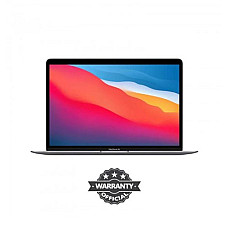
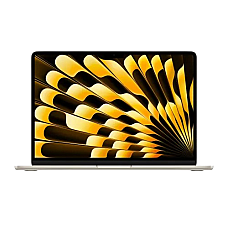
Apple MacBook in Bangladesh: Find Your Perfect Mac Collection at Computer Village
Computer Village offers the latest Apple MacBook lineup in Bangladesh: the MacBook Neo for first-time Mac users, the MacBook Air M5 for everyday professionals, and the MacBook Pro with M5, M4 Pro and M4 Max chips for creators and power users. The MacBook price in BD starts just under the one-lakh mark. Prices change frequently with the dollar rate and Apple's stock cycles, so always visit our website and check the latest price before you buy.
For years, Bangladeshi buyers have walked into Computer Village with the same question: "Which MacBook should I actually buy?" Our answer has never been "the most expensive one." A MacBook that fits your work, your budget and your daily routine will serve you for six to eight years. The wrong one either holds you back or makes you pay for power you never use. Everything below comes from the conversations we have at our counter every day.
Which MacBook Is Right for You?
Students and everyday users should choose the MacBook Neo or MacBook Air, while creators, developers and editors belong on the MacBook Pro.
1. University students and first-time Mac users
You need something light that lasts through a full day of classes, assignments, Zoom and Netflix, without a charger hunt. The MacBook Neo A18 Pro 8GB 256GB is the most affordable way into macOS today. It handles documents, browsing, presentations and light photo editing with ease. If your workload may grow into design or coding, choose the 512GB variant so storage doesn't become a problem in year two.
2. Office professionals and freelancers
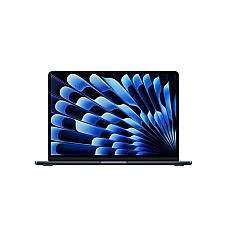
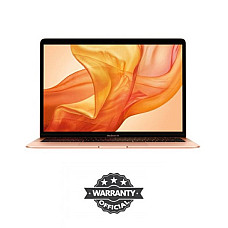
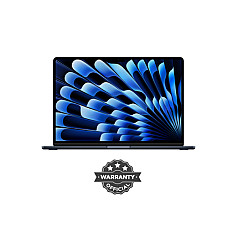
Spreadsheets, dozens of browser tabs, client calls, Canva and the occasional video edit: this is MacBook Air territory. The MacBook Air M5 16GB 512GB is the sweet spot we recommend most often. It has no fan, so it stays silent in meetings. Its battery comfortably outlasts a typical load-shedding window, which matters more in Dhaka than any benchmark chart. You can see every configuration in our MacBook Air collection.
3. Content creators, editors and photographers
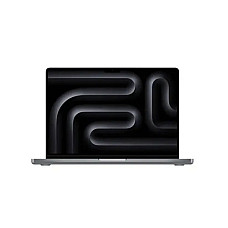
If Final Cut Pro, Premiere Pro, Lightroom or DaVinci Resolve are part of your income, the MacBook Pro is the right tool. Its active cooling holds full performance through long exports. The Liquid Retina XDR display gives you the brightness and colour accuracy that grading work demands. The MacBook Pro M5 14-inch suits most creators. The MacBook Pro 16-inch M4 Pro 24GB earns its larger screen if you edit on the laptop all day.
4. Developers, 3D artists and power users
Running Docker containers, Xcode builds, local AI models or heavy 3D scenes? Memory matters more than anything else. A configuration like the MacBook Pro 14-inch M4 Max 36GB keeps large projects responsive. Unified memory cannot be upgraded after purchase, so buy for the workload you expect in three years. You can compare every pro configuration in our MacBook Pro collection.
What Is the Difference Between MacBook Neo, MacBook Air and MacBook Pro?
The MacBook Neo focuses on value, the MacBook Air balances portability with power, and the MacBook Pro delivers sustained professional performance.
| Factor | MacBook Neo | MacBook Air (M5) | MacBook Pro (M5 / M4 Pro / M4 Max) |
|---|
| Chip | Apple A18 Pro | Apple M5 | M5, M4 Pro, M4 Max |
| Best for | Students, home use, first Mac | Office work, freelancing, travel | Video editing, coding, 3D, pro audio |
| Cooling | Silent, light workloads | Fanless, silent | Active cooling for long heavy tasks |
| Display | 13-inch Liquid Retina | 13.6-inch Liquid Retina | 14 or 16-inch Liquid Retina XDR |
| Memory options | 8GB | 16GB | 16GB to 36GB |
| Lineup position | Entry-level | Mid-range | Premium |
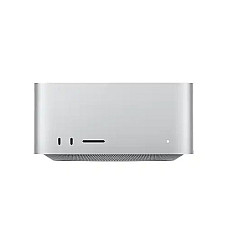
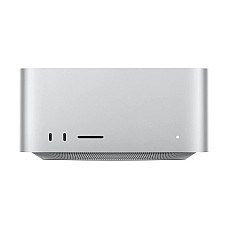
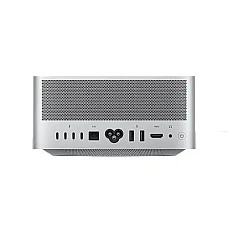
Don't need portability at all? A desktop Mac gives you more performance for your money. The Apple Mac mini is perfect for a home office. The Apple Mac Studio is built for full studio workloads.
How Do Apple M2, M3, M4 and M5 Chips Compare?
Each new M-series generation is faster and more power-efficient, but an older Pro or Max chip can still outperform a newer base chip in heavy work.
- M2 (2022): Still very capable for everyday work and programming, and a solid value pick on older MacBook Pro models.
- M3 (2023): Apple's first 3-nanometre chip. It brought hardware-accelerated ray tracing and a clear jump in graphics performance.
- M4 family (2024): Stronger CPU and Neural Engine. The M4 Pro and M4 Max add more performance cores, much higher memory bandwidth and Thunderbolt 5.
- M5 (latest): Apple's newest base chip, focused on GPU and on-device AI performance. It's the most future-ready choice for Apple Intelligence features.
Our honest advice: don't buy on the chip number alone. When choosing between a base M5 and an M4 Pro, compare CPU cores, GPU cores and memory, not the generation label.
How to Choose a MacBook in Bangladesh: A Customer's Checklist
Short answer: Decide memory and storage first, confirm your software and accessory compatibility, and only buy sealed units with a proper warranty.
- Memory (RAM): 8GB works for light use. 16GB is the recommended baseline for most buyers in 2026. Choose 24GB or more for professional editing and development.
- Storage (SSD): 256GB fills up quickly with photos, Xcode or video files. 512GB is the comfortable minimum for most people, because internal storage cannot be upgraded later.
- Software compatibility: Apple silicon Macs do not support Boot Camp. If your work depends on Windows-only accounting, VAT or banking software, confirm it has a macOS or web version first. Otherwise, a Windows machine from our laptop collection in BD may suit you better.
- Ports and accessories: MacBook Air and Neo models rely on USB-C. Plan for a USB-C hub for projectors, pen drives or wired LAN. Keep a spare Apple charger for office and home, and pair your Mac with an Apple Magic Mouse for a smoother desk workflow.
- External displays: Base chips support fewer external displays than Pro and Max chips. Check your model's display support before pairing it with a monitor for MacBook. You can also use an Apple iPad as a wireless second screen through Sidecar.
- Warranty and authenticity: Grey-market and refurbished units sold as new are common in the local market. Always insist on a sealed box, a proper invoice and valid warranty coverage.
Why Buy Your MacBook from Computer Village?
Computer Village offers authentic sealed MacBooks, warranty-backed after-sales service and honest, experience-based buying advice.
- Authentic, sealed products: Every MacBook is brand-new and boxed, with no refurbished units passed off as new.
- Warranty and service support: Our team handles setup help, warranty claims and troubleshooting long after your purchase.
- Transparent billing: We have no hidden charges and no bait-and-switch at the counter.
- Hands-on experience: Visit our store, try the keyboard, compare screen sizes side by side, and let our specialists help you pick the right configuration.
- Flexible buying: Order online with home delivery across Bangladesh, or pick up from our store at your convenience.
Frequently Asked Questions About MacBooks in Bangladesh
Which is the most affordable MacBook at Computer Village?
The MacBook Neo with the Apple A18 Pro chip, 8GB memory and 256GB storage is the most affordable MacBook in our lineup. It's ideal for students and first-time Mac users.
Is a MacBook Air or MacBook Pro better for students?
For most students, a MacBook Air or MacBook Neo is the better choice. They're lighter, silent and long-lasting on battery. Choose a MacBook Pro only if your course involves video production, architecture software or heavy programming.
Is 8GB RAM enough on a MacBook in 2026?
8GB handles browsing, documents and streaming well. For multitasking, freelancing or creative apps, 16GB is the safer long-term choice, because MacBook memory cannot be upgraded later.
Can I run Windows software on a MacBook?
Apple silicon MacBooks don't support Boot Camp. Many Windows apps have Mac or web versions. Others can run through virtualisation software, so check your critical work software before buying.
How long does a MacBook battery last during load-shedding?
MacBook Air and Neo models typically last a full working day on light tasks, often enough to work through power cuts. MacBook Pro models also offer long battery life, though heavy editing drains them faster.
Do MacBooks from Computer Village come with a warranty?
Yes. Every MacBook sold at Computer Village is a brand-new, sealed unit with warranty coverage and after-sales service support. Specific warranty terms are listed on each product page.
Which MacBook is best for video editing in Bangladesh?
The MacBook Pro 14-inch M5 suits most editors. Full-time professionals working with 4K or multi-cam timelines should consider the 16-inch M4 Pro or an M4 Max model with 36GB of unified memory.